
Which Verizon Perks Are Actually Worth It?
The best Verizon perks are the ones that replace something you already pay for. The 100GB hotspot, Google AI Pro, Disney bundle and TravelPass Days can all save money for the right user. Cloud Storage and Home Device Support are much harder to justify.
Worth Getting
100GB Mobile Hotspot, Google AI Pro, the Disney bundle and TravelPass Days.
Good in the Right Household
Apple Music Family, Netflix with HBO Max, Apple One, Second Number and YouTube Premium.
Weakest Value
Unlimited Cloud Storage and Home Device Support. FOX One is also very niche.
| Verizon perk | Monthly price | Best for | Our verdict |
|---|---|---|---|
| 100GB Mobile Hotspot | $10 | Remote workers and regular tethering | Excellent if used |
| Google AI Pro | $10 | Gemini, Google Drive and Google Photos users | One of the best deals |
| Disney+, Hulu and ESPN+ | $10, rising to $12 | Families and streaming households | Strong value |
| 3 TravelPass Days | $10 | Regular international travelers | Excellent with planning |
| Apple Music Family | $10, rising to $13 | Two to six music listeners | Still worth considering |
| Netflix and HBO Max with Ads | $13 | People who already want both services | Good, but includes ads |
| Second Number | $10 | Freelancers and small-business users | Useful specialist perk |
| Apple One | From $15 | Apple-heavy households | Good for the right user |
| Verizon Family Plus | $10 | Parents with children or young drivers | Useful, but limited |
| YouTube Premium | $12 | Heavy YouTube viewers | Convenient, modest saving |
| FOX One | $15 | FOX sports and news viewers | Very niche |
| Unlimited Cloud Storage | From $10 | People with very large mixed-device libraries | Usually unnecessary |
| Home Device Support | From $10 | Households needing regular technical help | Most people can skip it |
Top-rated refurbished phone deals right now
These are the refurbished phones we currently recommend the most.
- 01iPhone 16 Pro 512GB · Black TitaniumView deal →
- 02Samsung Galaxy Z Fold6 256GB · SilverView deal →
- 03Google Pixel 9 Pro XL 256GB · GrayView deal →
These are monthly subscriptions, not one-off purchases. They continue until you cancel them. Two forgotten $10 perks quietly add $240 to your annual Verizon bill.
Our advice: Add a perk only if it replaces a service you already pay for or solves a problem you regularly have. Review the list every few months and remove anything you’ve stopped using.
Check Verizon’s Current Perks →Verizon’s myPlan system lets you bolt streaming services, cloud storage, international roaming and other extras onto your phone plan.
Most cost between $10 and $15 a month, usually less than you would pay by subscribing directly.
That sounds good, but a discounted subscription is only a saving when it replaces something you already pay for.
My advice is simple:
- Get the 100GB Mobile Hotspot perk if you regularly tether a laptop or tablet.
- Get Google AI Pro if you use Gemini, Google Drive and Google Photos.
- Get the Disney+, Hulu and ESPN+ bundle if your household will use at least two of the services.
- Get Apple Music Family if two or more people will use it.
- Add TravelPass when you have international trips coming up.
- Ignore most of the other perks unless they solve a specific problem for you.
You should also keep an eye on the total bill. Saving $5 on a subscription does not compensate for spending $40 more on your phone service than you need to.
Before adding anything, compare the full cost against our Verizon unlimited plans guide and Verizon plan prices breakdown.
The Best Verizon Perks Ranked
| Verizon perk | Monthly price | Best for | My verdict |
|---|---|---|---|
| 100GB Mobile Hotspot | $10 | Remote workers and regular tethering | Excellent if you use it |
| Google AI Pro | $10 | Gemini, Drive and Photos users | One of the best deals |
| Disney+, Hulu and ESPN+ | $10, rising to $12 | Families and streaming households | Strong value |
| 3 TravelPass Days | $10 | Regular international travelers | Excellent with planning |
| Apple Music Family | $10, rising to $13 | Two to six music listeners | Still worth considering |
| Netflix and HBO Max with ads | $13 | People who already want both | Good, but ads reduce the appeal |
| Second Number | $10 | Freelancers and small-business users | Useful specialist perk |
| Apple One | From $15 | Apple-heavy households | Good for the right user |
| Verizon Family Plus | $10 | Parents with children or young drivers | Useful, but limited |
| YouTube Premium | $12 | Heavy YouTube viewers | Convenient, modest saving |
| FOX One | $15 | FOX sports and news viewers | Very niche |
| Unlimited Cloud Storage | From $10 | People with huge mixed-device libraries | Usually unnecessary |
| Home Device Support | From $10 | Households needing regular technical help | Most people can skip it |
These prices are recurring monthly charges. They continue until you cancel them, so two forgotten $10 perks quietly add $240 to your annual Verizon bill. And a lot of the time, that’s the idea. For this reason, keep detailed notes on what you’re paying for so you don’t get caught out.
Case in point: I was paying $10 a month for a second number for about 14 months and I NEVER used it. That cost me $140. Don’t be like me.
A Warning About The September 2026 Price Changes
Like most things in life right now, several of Verizon’s better perks are becoming less generous:
- Apple Music Family increases from $10 to $13 a month on September 1, 2026.
- Apple One Family increases from $20 to $23 a month on September 1, 2026.
- The Disney+, Hulu and ESPN+ bundle increases from $10 to $12 a month on September 17, 2026.
- The ad-free Disney bundle upgrade increases from $20 to $23.
Apple Music Family will still cost less through Verizon than buying it directly, but its monthly saving falls from $6.99 to $3.99.
The Disney bundle remains a good deal at $12. It just will not be quite as impressive as the outgoing $10 price.
This matters because carrier perk pages often lead with the largest possible saving, but prices do change so you need to factor that into your decision. For the record, perk prices tend to stay more or less fixed for 12 months or more.
And, if the price of a perk you’re using is going up you will be notified. It doesn’t just increase. The main thing is to know what perks you have, how much you pay, and whether you’d pay $5 more for it in the event the price increased.
Verizon Perks That Are Actually Worth Getting
Verizon Perks Compared: Which Are Worth It?
Don’t want to read every full breakdown? Here’s the answer. The hotspot, Google AI Pro, Disney bundle and TravelPass perks offer the strongest value. Several others are worth buying only when they replace subscriptions you already pay for.
| Verizon perk | Price | Best for | Verdict | CTA |
|---|---|---|---|---|
| 100GB Mobile Hotspot | $10 | Remote work, travel and backup internet | Worth getting | View perk → |
| Google AI Pro | $10 | Gemini, Photos, Drive and NotebookLM users | Excellent deal | View perk → |
| Disney+, Hulu and ESPN+ | $10, rising to $12 | Families using at least two services | Strong value | View perk → |
| 3 TravelPass Days | $10 | People taking several short trips abroad | Great with planning | View perk → |
| Apple Music Family | $10, rising to $13 | Households with two to six listeners | Worth considering | View perk → |
| Netflix and HBO Max with Ads | $13 | Households that already use both | Good if both get used | View perk → |
| Second Number | $10 | Freelancers, sole traders and online sellers | Useful specialist perk | View perk → |
| Apple One | From $15 | Apple households using several services | Check for overlap | View perk → |
| Verizon Family Plus | $10 | Parents with children or young drivers | Useful for some parents | View perk → |
| YouTube Premium | $12 | Daily viewers who can use YouTube Music | Good product, small saving | View perk → |
| FOX One | $15 | Heavy FOX sports and news viewers | Too niche for most | View perk → |
| Unlimited Cloud Storage | From $10 | Very large mixed-device media libraries | Usually skip it | View perk → |
| Home Device Support | From $10 | Nontechnical households needing regular help | Most readers can skip | View perk → |
Remember: Every perk is a recurring monthly charge. Two unused $10 perks add $240 to your Verizon bill over a year. Add them when needed, then cancel them when the saving disappears.
Best starting point: Check the hotspot, Google AI Pro, Disney bundle and TravelPass perks first. Only add the others if they replace something you already buy.
Compare All Verizon Perks →100GB Mobile Hotspot: Best For Remote Workers
Price: $10 a month
Best for: Remote workers, commuters, students and frequent travelers
My verdict: One of Verizon’s most useful perks
This adds 100GB of high-speed mobile hotspot data to an eligible line. It stacks with any hotspot allowance already included in your plan.
That is a lot of tethering for $10. It can keep a laptop online during train journeys, cover occasional work trips or provide a backup when your home broadband stops working.
After using the 100GB allowance, Verizon reduces hotspot speeds for the remainder of the billing cycle. The published maximum is up to 3Mbps on 5G Ultra Wideband and 600Kbps on 5G Nationwide or 4G LTE. Unused data does not roll into the following month. Verizon explains the hotspot terms here.
Pros
- 100GB for $10 is excellent value.
- It can be cheaper than moving the line onto a more expensive plan.
- Useful as an emergency broadband connection.
- Works with laptops, tablets, game consoles and other Wi-Fi devices.
- It stacks with hotspot data already included with the line.
Cons
- The allowance belongs to one line and is not shared across the account.
- Unused data expires at the end of the billing cycle.
- Speeds fall sharply after 100GB.
- Heavy tethering drains your phone’s battery and can generate heat.
- It is unnecessary if you rarely use your hotspot.
Who should get it?
Add it if you regularly work from your laptop away from Wi-Fi or already come close to your plan’s included hotspot limit.
Do not leave it active all year for one annual vacation. Add it when you need it and remove it afterwards.
Google AI Pro: Best For Google Users
Price: $10 a month
Best for: Google Photos, Drive, Gemini and NotebookLM users
My verdict: Possibly the largest practical saving in the perk catalogue
Verizon’s Google AI Pro perk costs $10 compared with a stated direct price of $19.99.
The current bundle combines Google’s premium Gemini tools with NotebookLM, Gemini inside supported Google apps, expanded media-generation features, YouTube Premium Lite, Google Home Premium, Google Health Premium and 5TB of cloud storage.
The account can be shared with up to five other members of a Google family group, although access to individual features can depend on Google’s sharing rules. Check Verizon’s current Google AI Pro terms.
Pros
- Roughly halves the standard monthly price.
- 5TB of storage can be useful for a photo-heavy family.
- Includes more than just access to Gemini.
- Works across Android, iPhone and computers.
- Family sharing makes the storage allowance more useful.
Cons
- It is a waste of $120 a year if you rarely use Gemini or Google storage.
- A personal Google account is required. Work and school accounts may not qualify.
- Google family-group restrictions apply.
- AI features and product names can change.
- Moving several terabytes away from Google later could be time-consuming.
Who should get it?
This is an easy recommendation if you already pay for lots of Google storage or would otherwise subscribe to Google AI Pro.
It is not worth buying because you occasionally ask Gemini a question. The real value comes from combining regular AI use with Drive, Gmail and Google Photos storage.
Disney+, Hulu And ESPN+: Best Entertainment Bundle
Price: $10 until September 17, 2026, then $12
Best for: Families and households that use at least two included services
My verdict: Verizon’s best general entertainment perk
The bundle includes:
- Disney+ with ads
- Hulu with ads
- ESPN+ with ads
At the new $12 price, Verizon says the perk will still save $9.99 against its $21.99 retail value. Verizon confirms the price change and bundle details here.
The catch is that ESPN+ is not the same as receiving the full ESPN cable network. It does not automatically give you every game or program shown on ESPN, ESPN2 and related television channels.
Pros
- Three services under one monthly charge.
- Strong value if your family watches Disney and Hulu.
- ESPN+ adds useful sports coverage.
- Existing eligible accounts can normally be linked.
- Disney+ permits up to four simultaneous streams.
Cons
- All three included tiers contain ads.
- The price increases to $12 in September.
- ESPN+ does not include every ESPN channel or event.
- Sports rights and blackouts still apply.
- Third-party subscriptions may need to be canceled manually.
Who should get it?
It makes sense if you would keep Disney+ and Hulu anyway. ESPN+ then becomes a useful extra.
It makes less sense if you only want one service. Paying $12 for the bundle to watch a single Disney series is how a “saving” becomes another recurring expense.
If you have an existing subscription billed through Apple, Google or Amazon, cancel or adjust it yourself. Do not assume Verizon will stop the old payment automatically.
3 TravelPass Days: Best For International Travel
Price: $10 a month
Best for: Customers taking several overseas trips each year
My verdict: Great with planning, poor if forgotten
The perk adds three TravelPass days to your line each billing cycle. Those days can be banked, up to a total of 36, and each remains valid for 12 months from the date it was added.
TravelPass lets you use your domestic talk, text and data allowance in more than 210 countries and destinations. A day begins when your phone uses eligible data, sends a text or makes or receives a call. Read Verizon’s TravelPass perk rules.
Pros
- Three international days for $10 is much cheaper than buying them separately.
- Days can accumulate ahead of a trip.
- You keep your normal number.
- No need to install or manage a separate travel eSIM.
- Covers a large number of countries.
Cons
- Days expire after 12 months.
- They stay with the line that earned them and cannot be transferred.
- Background data can accidentally trigger a 24-hour session.
- It becomes expensive for long trips.
- Unlimited Ultimate already includes international benefits, making the perk unnecessary or unavailable.
Who should get it?
This works well for someone taking a few short trips each year.
You can add it several months before a vacation, bank the days and cancel once you have enough. Just track the expiry dates.
For a three-week trip where you need lots of data, a local SIM or travel eSIM may cost less.
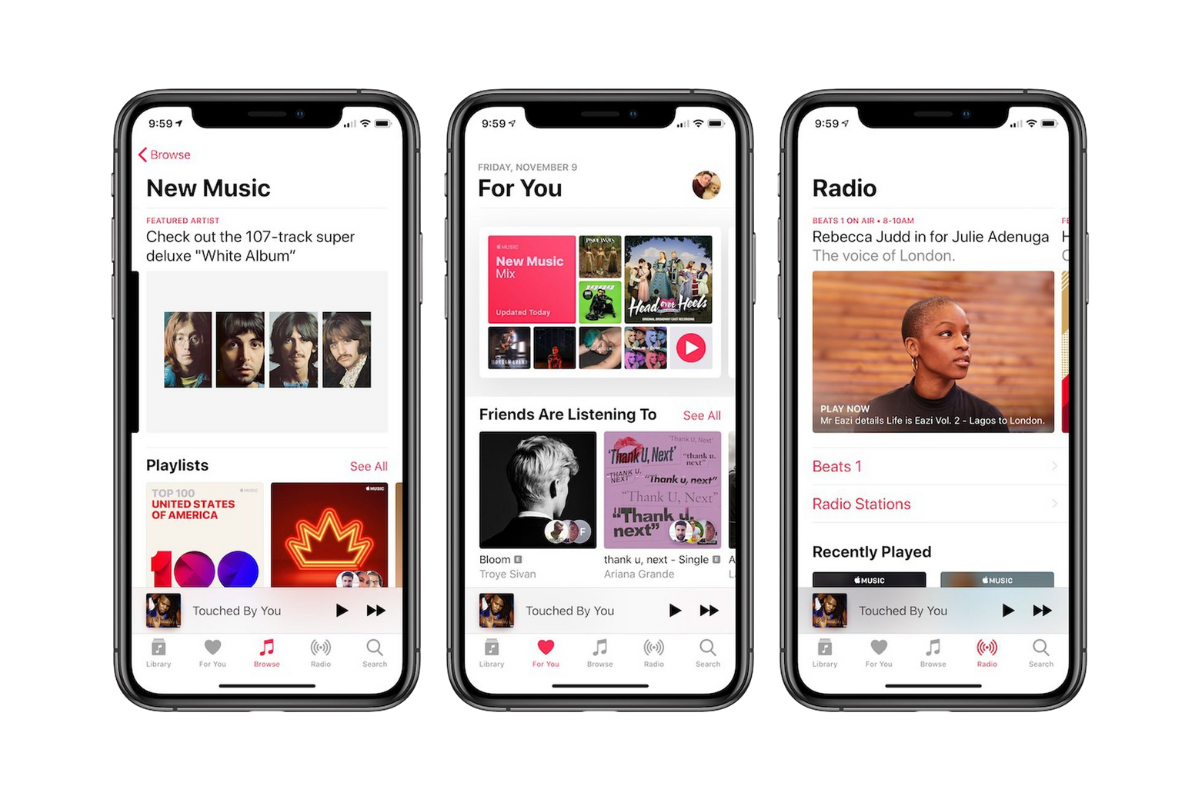
Apple Music Family: Best For Music-Sharing Households
Price: $10 until September 1, 2026, then $13
Best for: Households with two to six listeners
My verdict: Worth it for a family, unnecessary for one person
Apple Music Family provides ad-free listening, offline downloads and Spatial Audio for up to six people.
The current direct price is $16.99, meaning the Verizon saving falls to $3.99 when its price rises to $13. See Verizon’s Apple Music Family information.
Despite the name, it is not limited to iPhones. Apple Music works on Android, Windows, Sonos, Amazon Echo, Google Nest and various smart TVs.
Pros
- Up to six separate users.
- Still cheaper than subscribing directly.
- Each person gets a private music library and recommendations.
- Works on a broad range of devices.
- Includes offline playback.
Cons
- The price is increasing by 30%.
- Overkill for one listener.
- Requires Apple Family Sharing.
- It can overlap with an Apple One subscription.
- Existing subscriptions need to be checked to prevent duplicate billing.
Who should get it?
At $13, it remains a good buy when two or more people will genuinely use it.
For one person, compare the price with an individual music subscription or consider whether YouTube Premium could replace both your music and video subscriptions.
Netflix And HBO Max With Ads: Good If You Want Both
Price: $13 a month
Best for: Households already paying for Netflix and HBO Max
My verdict: Good bundle, but only when both services get used
This combines Netflix and HBO Max’s ad-supported tiers. Verizon advertises a monthly saving of $6.98 compared with paying for both separately.
Pros
- Meaningful saving across two popular streaming services.
- Easy to manage through the Verizon account.
- Existing eligible accounts can normally be linked.
- Broad mix of films, series and original programming.
Cons
- Both included plans contain advertising.
- Netflix’s household and out-of-home viewing rules still apply.
- Upgrading either service reduces the effective saving.
- It is poor value if one service goes unused.
- Existing third-party billing can result in duplicate charges.
Who should get it?
Get it when Netflix and Max are already fixtures in your household.
Skip it if you rotate streaming subscriptions. Paying for Netflix one month and Max the next can be cheaper than maintaining both continuously, even with Verizon’s discount.
Apple One: Best For People Deep Into Apple Services
Price: $15 for Individual; Apple One Family rises from $20 to $23 on September 1, 2026
Best for: iPhone households using several Apple subscriptions
My verdict: Good bundle, but check what you already have
Apple One Individual includes:
- Apple Music
- Apple TV+
- Apple Arcade
- 50GB of iCloud+ storage
The Family version provides family access and 200GB of iCloud+ storage.
Pros
- One charge for several Apple services.
- Individual plan is cheaper than buying every component separately.
- Family option can serve up to six people.
- iCloud storage is built into iPhone, iPad and Mac.
- Good fit for households using Music, TV+ and Arcade.
Cons
- 50GB is not much storage for a modern iPhone user.
- The Family perk becomes less attractive at $23.
- You save nothing if you do not use Arcade or Apple TV+.
- It can overlap with existing iCloud or Apple Music subscriptions.
- Much less appealing to Android and Windows users.
Who should get it?
Apple One is worth considering when you use at least two of its main services and need iCloud storage.
Do the arithmetic first. If all you want is Apple Music, the Apple Music Family perk is the cleaner option. If all you need is iCloud storage, buy only the amount of storage you require.
Second Number: Best For Work And Personal Separation
Price: $10 a month
Best for: Freelancers, sole traders and anyone wanting a private second number
My verdict: Very useful when it replaces a separate line
Second Number adds another phone number to a compatible dual-SIM device. It includes unlimited calls and texts in the US, Mexico and Canada, but does not receive its own data allowance. It uses the data from your primary plan.
Verizon normally charges $15 for the service, making the perk price $10. See Second Number requirements and restrictions.
Pros
- Keeps work and personal calls separate.
- No need to carry two phones.
- Cheaper than maintaining another full service plan.
- Useful for online selling, dating or public business listings.
- No separate activation or cancellation fee.
Cons
- Requires a compatible dual-SIM or eSIM phone.
- It does not include independent mobile data.
- Suspending the main line also suspends the second number.
- It remains tied to your Verizon account.
- Free VoIP services may be enough for occasional use.
Who should get it?
For someone currently paying $20 or $30 for a separate work line, this is an easy way to cut the bill.
If the number only receives one or two calls a month, a free service such as Google Voice may do the job.
Verizon Family Plus: Best For Parents
Price: $10 a month
Best for: Parents with children, teenagers or young drivers
My verdict: Useful controls with one major blind spot
Verizon Family Plus adds parental controls, location tools, driving reports, roadside assistance and device-management features.
Parents can set content filters, view some call and text activity, limit screen time, pause internet access and receive location alerts. The service also includes up to four eligible roadside-assistance events per account each year. Verizon lists the Family Plus features here.
Pros
- Location and driving tools in one app.
- Internet schedules and content filters.
- Roadside assistance adds real utility.
- Can be helpful for a child’s first phone.
- Included with some versions of Unlimited Ultimate.
Cons
- It cannot fully monitor iMessage, Google Messages or third-party messaging apps.
- Apple Screen Time and Google Family Link already provide free controls.
- Location tools depend on the phone being powered and connected.
- Teenagers may find workarounds.
- Not useful for most adult-only accounts.
Who should get it?
Parents with a new driver may get enough from the driving reports, location tools and roadside assistance to justify $10.
Parents who only want screen-time limits should try Apple or Google’s free controls first.
YouTube Premium: Best For Heavy YouTube Users
Price: $12 a month
Best for: Daily YouTube viewers
My verdict: Good product, relatively small Verizon saving
YouTube Premium removes ads from YouTube and YouTube Kids, enables background playback and downloads, and includes YouTube Music.
Verizon says the perk saves $3.99 compared with buying the individual subscription directly. Read Verizon’s activation and billing details.
Pros
- Removes most YouTube advertising.
- Includes YouTube Music.
- Background playback is useful on phones.
- Offline downloads help when traveling.
- Can replace a separate music subscription.
Cons
- Smaller saving than several other Verizon perks.
- This is an individual subscription, not a family plan.
- Existing annual or third-party subscriptions can complicate activation.
- Some creator sponsorships remain in videos.
- Poor value for occasional YouTube viewers.
Who should get it?
This becomes easier to justify if YouTube Music replaces Spotify or Apple Music. You are then covering music and ad-free video with one subscription.
If you already belong to a YouTube Premium family plan, Verizon’s individual perk is unlikely to be the better option.
FOX One: Best For A Specific Kind Of Cord-Cutter
Price: $15 a month
Best for: People who regularly watch FOX news, sport and entertainment
My verdict: Too narrow for most households
FOX One is designed to bring FOX-branded live and on-demand programming into a single subscription.
Pros
- Useful for viewers who want FOX content without a larger television package.
- Includes live and on-demand programming.
- Cheaper through Verizon than the stated $19.99 direct price.
- Can fill a gap left after canceling cable.
Cons
- $15 is expensive for one content group.
- Sports blackouts and regional rights may still apply.
- It can duplicate channels in a live-TV streaming package.
- Not useful for viewers who only watch occasional FOX shows.
- Adding several channel-specific services can recreate the cost of cable.
Who should get it?
FOX One makes sense when FOX programming is the reason you have kept a more expensive TV package.
For everyone else, add it only for a specific sports season or event and cancel when you are finished.
Unlimited Cloud Storage: Appealing Name, Limited Need
Price: From $10 a month
Best for: People with very large photo and video collections across different devices
My verdict: Most users should stick with iCloud or Google One
The individual perk provides unlimited Verizon Cloud storage for $10, compared with a stated direct price of $13.99. A group option is available at a higher price.
It can store photos, videos, documents and other supported files, but it is not a full image of your phone. It does not back up the operating system, apps, every device setting or all external storage.
Pros
- No conventional storage ceiling.
- Works across different phone and computer platforms.
- Useful for very large photo and video libraries.
- Group version can serve several users.
- Less dependence on Apple or Google.
Cons
- Only saves $3.99 on the individual plan.
- Does not provide a full device backup.
- Some files and file sizes are restricted.
- Your stored files become unavailable after cancellation.
- Leaving an eligible plan can move you to the higher direct price until you cancel.
- Moving a huge library later could be a pain.
Who should get it?
Consider it when you have an unusually large media library and want one cloud service across iPhone, Android and computers.
Most people will have a smoother experience with iCloud+ on Apple devices or Google One on Android. Whatever you choose, do not make a carrier cloud your only copy of important photos.
Home Device Support And Protection: Read The Name Carefully
Price: From $10 a month
Best for: Nontechnical households that frequently need help
My verdict: Skip it if you are comfortable setting up your own devices
There are two related services that should not be confused.
Home Device Advisor, generally $10 through the perk, provides technical support for connected devices. Installation visits still cost $49 per product.
The more expensive Home Device Protect service adds repair and replacement coverage for eligible home devices, together with technical support and some included in-home help.
Pros
- 24/7 help with home technology.
- Can cover a broad selection of connected products.
- Useful for households without a trusted technical helper.
- Protection tier may cover devices outside their manufacturer warranties.
Cons
- Device Advisor is support, not damage insurance.
- Paying $120 a year for telephone help is hard to justify for technical users.
- Advisor installations still cost $49 per product.
- Protection coverage has eligibility rules, limits and exclusions.
- The Home Device perk is excluded from Verizon’s Mobile + Home paid-perk credit.
Who should get it?
A household that frequently struggles with printers, Wi-Fi, smart TVs and connected devices could find the support useful.
For most KnowYourMobile readers, this is one of the easiest perks to skip.
How Verizon Perks Actually Work
Perks are not free benefits built into your phone plan. They are optional monthly subscriptions added to eligible myPlan or myHome accounts.
A few things are worth knowing:
- The charge starts when you add the perk.
- Many subscription perks still need to be activated separately.
- Some unactivated perks are automatically canceled after 90 days.
- Only an Account Owner or Account Manager can add or remove them.
- Different lines can have different perks.
- Most perks continue until you cancel.
- Cancellation and prorating rules differ between perks.
- Existing subscriptions do not always stop automatically.
That final point causes the most trouble. If Netflix, Disney+, Apple Music or another service is billed through Apple, Google or Amazon, linking a Verizon perk may not cancel the old subscription.
Check the next statement from both companies.
Don’t Let Discounted Perks Hide An Expensive Phone Plan
Verizon’s perks can be useful, but they are also part of a larger retention system.
Once your streaming, storage, family controls and international travel are all billed through Verizon, changing carriers feels more difficult. You have more services to untangle and more prices to compare.
Suppose you have three $10 perks on an $80 phone plan. Your real service bill is now $110 before device payments, insurance and other charges.
A prepaid carrier could cost considerably less, even after buying one or two subscriptions separately. Our guide to switching from Verizon to Visible explains how much you could save while continuing to use Verizon’s network.
You can also see our Visible recommendation and guide to the best MVNO carriers if lowering the underlying phone bill matters more than discounted streaming.
My Final Picks
If I were building a Verizon account today, I would keep it lean.
- I would add the 100GB Mobile Hotspot perk during months when I expected to travel or work away from Wi-Fi.
- I would choose Google AI Pro if I needed its 5TB storage and regularly used Gemini. For the right Google user, it is arguably the best financial deal here.
- For entertainment, I would choose only one bundle. The Disney+, Hulu and ESPN+ perk is my first pick for a family. Netflix and Max is the better choice for someone who watches more adult drama and movies, provided ads are not a problem.
I would use Apple Music Family when at least two people needed music. At its new $13 price, it is still cheaper than paying Apple directly, but the saving is no longer huge.
The rest are problem-solving perks:
- TravelPass for international trips
- Second Number for work
- Family Plus for children and young drivers
- YouTube Premium for heavy YouTube use
I would skip Unlimited Cloud Storage, FOX One and Home Device Advisor unless I had a clear reason to need them.
The best Verizon perk is not necessarily the one advertising the biggest discount. It is the one that replaces a bill you already have, gets used every month and can be canceled the moment it stops earning its place.
Also, you DO NOT need to use any of them. Spending less money per month on your plan is always the way to go. My advice: only get a perk if it will genuinely save you money.
Keep reading
More useful guides from this section of KnowYourMobile.
