
Consumer Cellular Coverage and Outages
Consumer Cellular is an MVNO. It uses networks run by larger US carriers instead of operating its own nationwide tower network.
Many new Consumer Cellular phones and bring-your-own-phone activations use AT&T service, but your exact underlying network can depend on your SIM, phone and account.
Consumer Cellular says its service reaches around 99% of the US population.
The network used by your line may depend on your SIM card, phone and account setup.
Many new devices and bring-your-own-phone activations receive service through AT&T’s network.
Maps show estimated outdoor coverage. They cannot guarantee a strong signal inside your home or workplace.
An outage affecting Consumer Cellular’s network provider can also interrupt your Consumer Cellular service.
Reduced data speeds can be caused by local network congestion without there being a full outage.
Covering 99% of people does not mean covering 99% of US land, particularly in rural and remote areas.
Consumer Cellular does not publish a detailed record of every past mobile-network incident.
Enable Wi-Fi Calling if the cellular signal inside your home is unreliable. It can route calls and messages through your broadband connection when mobile reception is weak.
Compare every Consumer Cellular plan, including current prices, data allowances and the type of user each option suits best.
Compare Consumer Cellular Plans →Consumer Cellular says its service reaches 99% of the US population by using networks operated by larger carriers.
That sounds reassuring, but it doesn’t mean you’ll have a perfect signal everywhere.
Consumer Cellular does not own a national tower network. It relies on one or more underlying carriers to provide calls, texts and mobile data. Your coverage therefore depends on the network assigned to your line, the phone you use and the towers available at your location.
The short version?
Consumer Cellular coverage should be good for most people, particularly customers using its AT&T-based service. But you need to check your exact address before switching.
And if Consumer Cellular stops working, it doesn’t automatically mean there is a Consumer Cellular-wide outage.
The problem could be:
- An outage affecting the underlying network
- A damaged or overloaded local tower
- Poor indoor coverage
- Network congestion
- A SIM or eSIM fault
- Incorrect phone settings
- An account or activation problem
- Planned network maintenance
- A damaged or incompatible phone
Here’s how Consumer Cellular coverage works, how to check for an outage and what to do when your phone shows No Service or SOS.
What Network Does Consumer Cellular Use?
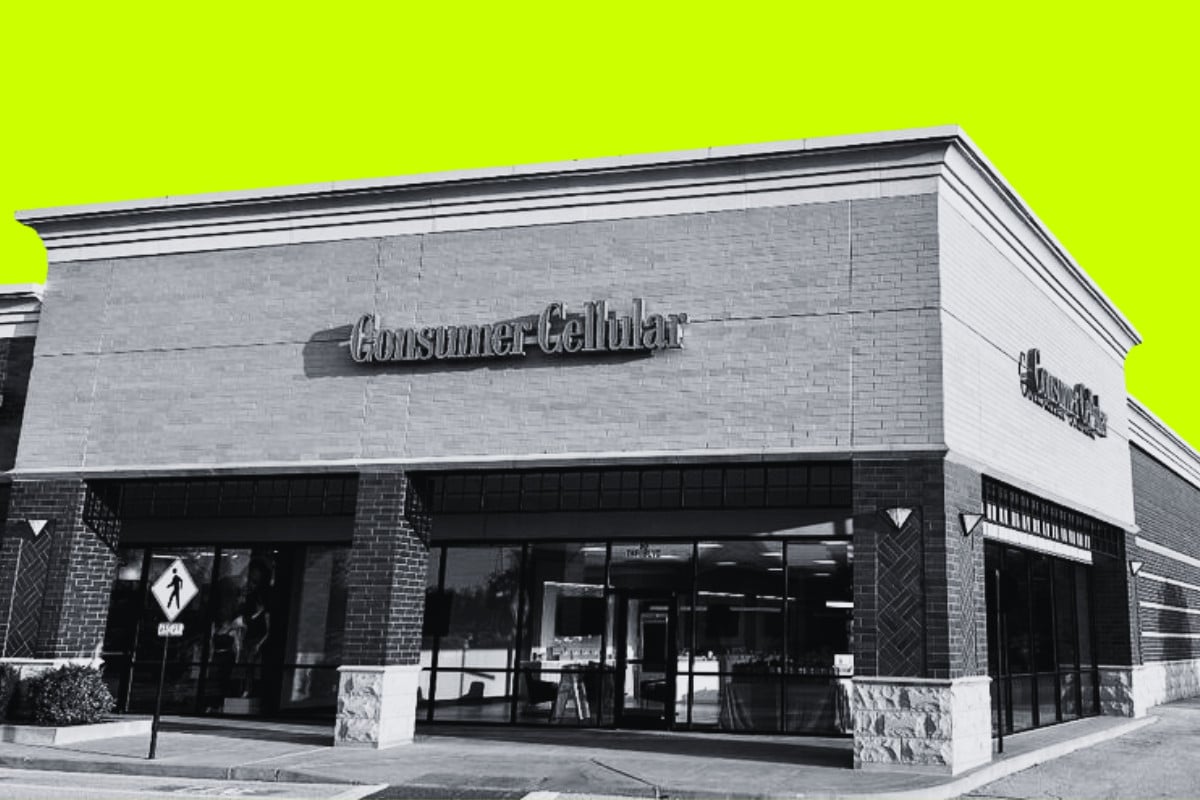
Consumer Cellular does not own the towers used to provide your service.
It buys network access from larger US carriers and resells it under the Consumer Cellular name.
Consumer Cellular’s current help pages say the company uses multiple network providers. However, its bring-your-own-device page refers specifically to AT&T service, and many current Consumer Cellular activations appear to use the AT&T network.
This is why you’ll find conflicting answers online.
Older Consumer Cellular material says it used both AT&T and T-Mobile. Some customers may still have older SIM cards or account arrangements connected to a different underlying network.
The safest answer is:
Consumer Cellular primarily sells service associated with AT&T, but the company officially states that it uses multiple network providers. Your assigned network can depend on your SIM card, device and account.
If you’re an existing customer and want to confirm which network your line uses, contact Consumer Cellular directly.
You can also look at:
- The network name shown in your phone’s settings
- The first several digits of the SIM card number
- Your phone’s carrier-settings information
- The APN installed on an Android phone
Those clues can help, but customer support should be able to give you a definitive answer for your line.
Does Consumer Cellular Have Good Coverage?
Consumer Cellular coverage is good when its underlying carrier has good coverage in your area.
It really is that simple.
If your line uses AT&T and AT&T works well at your home, Consumer Cellular should have a similar basic coverage footprint.
If AT&T struggles inside your house, changing from AT&T to Consumer Cellular will not magically create a closer tower.
Consumer Cellular says its partner networks reach 99% of the US population. That does not mean 99% of US land has coverage.
Most Americans live in towns, cities and suburbs. A network can reach almost the entire population while still containing large geographic gaps across:
- Mountains
- Deserts
- Forests
- Rural highways
- National parks
- Agricultural areas
- Remote coastal regions
This distinction matters if you live outside a major population center or regularly travel through rural areas.
Consumer Cellular Coverage At A Glance
| Coverage question | What to expect |
|---|---|
| Cities | Generally good, but speeds can fall when towers are busy |
| Suburbs | Usually good where AT&T or the assigned network has local towers |
| Rural towns | Can be good, but needs checking by address |
| Remote rural areas | More likely to contain dead zones |
| Highways | Good on major routes, less predictable on remote roads |
| Indoors | Depends heavily on building materials and tower position |
| Basements | Often weaker because cellular signals struggle through walls and ground |
| Stadiums and concerts | Signal may show, but data can become very slow |
| 5G | Available with a compatible phone and local network coverage |
| 4G LTE | Used when 5G is unavailable |
| International coverage | Roaming may be available, but it is not Consumer Cellular’s strong point |
Top-rated refurbished phone deals right now
These are the refurbished phones we currently recommend the most.
- 01iPhone 16 Pro 512GB · Black TitaniumView deal →
- 02Samsung Galaxy Z Fold6 256GB · SilverView deal →
- 03Google Pixel 9 Pro XL 256GB · GrayView deal →
How Accurate Is Consumer Cellular’s Coverage Map?
Consumer Cellular’s coverage map is useful, but you shouldn’t treat it as a promise.
The company states that its map shows approximate outdoor coverage. Actual service can vary and coverage is not guaranteed.
Coverage maps are based on computer models that estimate how radio signals should travel. They cannot account perfectly for every:
- Hill
- Tree
- Wall
- Basement
- Metal roof
- New building
- Network fault
- Weather event
- Crowded tower
- Phone antenna
A map might show strong service at your address while your phone struggles in the back bedroom.
It can also work the other way around. An area marked as marginal may perform acceptably with a newer phone and a clear line of sight to the tower.
Use the map as your first check, not your final answer.
How To Check Coverage Before You Switch
Do not check only your ZIP code.
A ZIP code can cover several neighborhoods, rural roads and tower areas. Service at one end could be completely different from service at the other.
Check these locations individually:
- Your home address
- Your workplace
- Your normal commute
- Your children’s or relatives’ homes
- Local shops
- Medical facilities you visit
- Weekend destinations
- Rural roads you regularly drive
- Holiday or seasonal properties
It is also worth asking someone who already uses AT&T nearby.
A neighbor’s real-world experience inside the same building is often more useful than a nationwide coverage percentage.
Test Consumer Cellular before transferring your main number
If your phone supports dual SIM, you may be able to test Consumer Cellular on a temporary number while keeping your existing service active.
Use it for several days and check:
- Call quality at home
- Indoor reception
- Data speed
- Coverage while driving
- Performance at work
- Wi-Fi Calling
- Text-message delivery
- Voicemail
- Hotspot performance
Only transfer your main number after you’re happy with the service.
That takes slightly more effort, but it is better than porting an important number and discovering that your kitchen is a dead zone.
Will Consumer Cellular Have The Same Coverage As AT&T?
It should have a similar basic coverage footprint when your line uses AT&T.
Consumer Cellular customers connect to AT&T towers in the same general areas as AT&T customers. That doesn’t necessarily mean the experience will always be identical.
There are several possible differences.
Network priority
AT&T controls its own network. Consumer Cellular buys access to it.
When a tower becomes busy, different plans and services can receive different treatment. Consumer Cellular data may slow during congestion even though your phone still shows several signal bars.
You’re most likely to notice this at:
- Sports stadiums
- Concert venues
- Airports
- Festivals
- Tourist attractions
- Shopping centers
- Busy commuter stations
- Crowded city centers
This is not a coverage outage. The tower is working, but too many devices are trying to use it at once.
Calls and texts may continue normally while apps, websites and video barely load.
Phone compatibility
An AT&T customer and a Consumer Cellular customer standing in the same place can get different results if their phones support different cellular bands.
A recent US-market iPhone, Samsung Galaxy or Google Pixel should support the main bands required by AT&T.
An old or imported Android phone may lack some of them.
That can affect:
- Rural coverage
- Indoor reception
- 5G access
- Call reliability
- Data speeds
- Voice over LTE
- Wi-Fi Calling
Always run your phone’s IMEI through Consumer Cellular’s compatibility checker before switching.
Roaming arrangements
A carrier’s coverage can also include domestic roaming agreements.
Access to partner networks may differ between AT&T’s own plans and an MVNO using AT&T’s network. Do not assume Consumer Cellular receives every roaming arrangement included with every AT&T postpaid plan.
This matters most in remote areas where the main network has no native coverage.
Does Consumer Cellular Have 5G?
Yes.
Consumer Cellular includes 5G access with compatible plans and devices. You do not pay a separate fee for it.
You need:
- A 5G-compatible phone
- A compatible SIM or eSIM
- Local 5G coverage
- Correct carrier settings
- A supported network configuration
When 5G is unavailable, your phone should fall back to 4G LTE.
Do not choose Consumer Cellular purely because its map shows 5G. A stable LTE signal is often more useful than a weak 5G connection that constantly drops in and out.
The 5G icon also tells you very little about actual performance. You can have 5G and receive slow data because the tower is congested.
How Reliable Is Consumer Cellular?
Consumer Cellular should be reliable for calls, texts and ordinary phone use when the underlying network is working properly and local coverage is good.
But it is not outage-proof.
No US carrier is.
Because Consumer Cellular depends on other companies’ infrastructure, problems can occur at two levels:
- Consumer Cellular’s own systems
- The underlying carrier’s mobile network
Consumer Cellular could have working billing and customer-support systems while an AT&T network failure prevents customers from making calls.
The reverse can also happen. The mobile network could be operating normally while a Consumer Cellular activation or account system has a problem.
That is why outage diagnosis can be confusing.
How Often Does Consumer Cellular Go Down?
There is no public Consumer Cellular mobile-outage archive that records every incident, duration and affected location.
That makes it impossible to give an honest answer such as “Consumer Cellular goes down three times per year.”
Crowdsourced outage websites can show spikes in customer reports, but those figures have limitations:
- Reports are voluntary
- One person can submit several reports
- Small carriers generate fewer reports
- A website failure may be confused with a mobile outage
- AT&T outages may be reported against both brands
- Reports can include billing and activation problems
- The number of reports is not the number of affected customers
What we can say is that Consumer Cellular inherits some of the outage risk of its underlying networks.
For example, AT&T suffered a large nationwide wireless outage on February 22, 2024. Customers across the US reported phones entering SOS mode and losing normal calling and data service. AT&T later said the incident was caused by an incorrectly executed network process during expansion, rather than a cyberattack. The Associated Press reported on AT&T’s explanation and restoration.
An AT&T failure does not necessarily affect every Consumer Cellular customer. It depends on which network, systems, towers and routes are involved.
But if your Consumer Cellular line uses AT&T, an AT&T outage is one of the first things worth checking.
Is Consumer Cellular Down Right Now?
Check more than one source before assuming there is a widespread outage.
1. Check Consumer Cellular directly
Consumer Cellular does not currently offer the same type of detailed public wireless outage map provided by some larger carriers.
You can:
- Dial 611 from a working Consumer Cellular phone
- Call 888-345-5509 from another phone
- Use Consumer Cellular’s online chat
- Visit its support pages
- Check its official social accounts for announcements
2. Check the underlying carrier
If your line uses AT&T, check AT&T’s outage page.
Check AT&T outages at your address.
AT&T may ask for an address or account sign-in before showing local details. A public status notice may appear during a larger incident.
If Consumer Cellular has confirmed that your line uses another provider, check that carrier’s outage information instead.
3. Check crowdsourced reports
Third-party outage trackers can show whether reports are rising in your area.
Treat them as a clue, not proof.
A sudden spike across several cities suggests something larger than a fault with your phone. A handful of isolated reports does not.
4. Ask someone nearby
If another Consumer Cellular or AT&T customer next to you also has no service, a local network problem becomes more likely.
If their phone works normally, the problem may be tied to your:
- Device
- SIM
- Account
- Phone settings
- Exact position inside the building
Outage Or Bad Coverage: How To Tell The Difference
| What you see | Most likely explanation |
|---|---|
| Service disappears suddenly in a place where it normally works | Local or wider outage |
| Several nearby customers lose service at the same time | Network outage |
| Signal returns when you go outside | Poor indoor coverage |
| Calls work but data is extremely slow in a crowd | Network congestion |
| Only one phone has a problem | Phone, SIM or account issue |
| Service fails in the same rural area every visit | Coverage gap |
| Wi-Fi Calling works but cellular does not | Cellular coverage or network problem |
| Phone shows bars but websites will not load | Congestion, data settings or account issue |
| Phone displays SOS or Emergency Calls Only | It cannot register normally with its home network |
| Service stopped after changing phones | SIM, eSIM, activation or compatibility problem |
| Calls fail after installing an update | Carrier settings or phone software issue |
| Data stops near the end of the billing period | Data allowance, throttling or account issue |
What Does SOS Or Emergency Calls Only Mean?
On an iPhone, SOS or SOS Only usually means the phone cannot connect normally to your carrier.
It may still be able to reach emergency services through another available network.
On Android, you may see:
- Emergency Calls Only
- No Service
- Searching
- Not Registered On Network
Possible causes include:
- A carrier outage
- No local coverage
- A loose or damaged SIM
- An inactive eSIM
- Airplane Mode
- An account suspension
- Failed number transfer
- Unsupported phone
- Incorrect network settings
- Faulty phone antenna
Do not call 911 merely to test whether your phone works. Use emergency services only for a real emergency.
Consumer Cellular Says No Service: What To Do
Start with the quick fixes. Plenty of supposed outages are phones that have become stuck on an unusable network connection.
1. Turn Airplane Mode on and off
Turn Airplane Mode on, wait around 15 seconds and turn it off.
This forces the phone to disconnect and register with the network again.
2. Restart the phone
A restart clears temporary network and software faults.
It sounds basic because it is basic. It also works surprisingly often.
3. Move to another location
Go outside or move closer to a window.
If service returns, the issue is probably indoor coverage rather than a carrier-wide outage.
4. Check for an outage
Look at Consumer Cellular support, the underlying carrier’s outage page and current customer reports.
5. Check your SIM
If you use a physical SIM:
- Turn the phone off.
- Remove the SIM.
- Check it for damage or dirt.
- Reinsert it correctly.
- Turn the phone back on.
Do not remove the SIM if you are unsure how your phone’s tray works. It is easy to push the tool into the wrong hole and damage a microphone.
If you use eSIM, check that the Consumer Cellular line is enabled in the phone’s cellular settings.
6. Check mobile-data settings
Make sure:
- Mobile data is turned on
- The Consumer Cellular line is selected for data
- Network selection is set to automatic
- Data roaming matches Consumer Cellular’s instructions
- No restrictive data mode is blocking the app
- The phone is not connected to a broken Wi-Fi network
A phone may appear to have no internet because it is clinging to Wi-Fi that has no working internet connection.
Turn Wi-Fi off temporarily and test mobile data again.
7. Install carrier-settings and software updates
Outdated carrier settings can interfere with calls, messaging or data.
On an iPhone:
- Connect to Wi-Fi.
- Open Settings.
- Select General.
- Select About.
- Wait to see whether a carrier-settings update appears.
On Android, install available system updates and check the mobile-network settings supplied by Consumer Cellular.
8. Reset network settings
Use this later, not first.
Resetting network settings can remove:
- Saved Wi-Fi networks
- Wi-Fi passwords
- Bluetooth connections
- VPN settings
- Custom cellular settings
It will not normally delete your photos or apps, but you will need to reconnect to saved networks afterward.
9. Contact Consumer Cellular
Consumer Cellular’s own No Service guidance tells customers to call support from a landline or another working phone if the problem continues.
Call 888-345-5509 or use online chat. See Consumer Cellular’s No Service support page.
Ask the support agent to check:
- Line provisioning
- Account status
- SIM or eSIM activation
- Local tower issues
- Number-transfer status
- Device compatibility
- Network registration
- APN settings
- Whether a replacement SIM is needed
Calls Work But Mobile Data Doesn’t
This usually points away from a complete outage.
Possible causes include:
- Network congestion
- Mobile data switched off
- Incorrect APN settings
- Data assigned to another SIM
- An exhausted high-speed allowance
- A plan or billing problem
- A local data-network fault
- A broken VPN
- An app-specific problem
First, open several unrelated websites or apps.
If only one app fails, the problem is probably that service rather than Consumer Cellular.
Then turn off any VPN and test again. VPN failures can make an otherwise working mobile connection appear completely dead.
If every app fails but calls still work, contact Consumer Cellular and ask it to check data provisioning on the line.
Data Is Slow But Signal Bars Are Full
Signal bars measure radio strength, not available network capacity.
You can have five bars and terrible data because hundreds or thousands of people are sharing the same tower.
This is common at:
- Stadiums
- Concerts
- Airports
- Fairs
- Festivals
- Theme parks
- Busy town centers
Consumer Cellular’s network-management policy also allows its underlying carriers to manage traffic when necessary.
Try:
- Moving away from the crowd
- Switching between 5G and LTE
- Waiting until the event finishes
- Connecting to trusted Wi-Fi
- Turning Airplane Mode on and off
- Testing another app or website
If speeds are slow every day at the same time, the local tower may regularly become congested.
That is not something restarting your phone can permanently fix.
Does Wi-Fi Calling Work During A Consumer Cellular Outage?
It can, depending on what part of the service has failed.
Wi-Fi Calling routes calls and texts through a working internet connection rather than relying entirely on the nearby cellular tower.
It is useful when:
- Your house has weak indoor reception
- A local tower is unavailable
- You are in a basement
- Cellular coverage is poor but broadband works
It may not help if Consumer Cellular’s core calling or account systems are also affected.
You should enable Wi-Fi Calling before you need it. Initial activation may require a working cellular connection and an emergency address.
AT&T also recommends setting up Wi-Fi Calling in advance as a backup during coverage problems and network outages. Read AT&T’s outage preparation guidance.
Turn on Wi-Fi Calling on iPhone
- Open Settings.
- Select Cellular.
- Select your Consumer Cellular line.
- Select Wi-Fi Calling.
- Turn on Wi-Fi Calling on This iPhone.
- Confirm or enter your emergency address.
Turn on Wi-Fi Calling on Android
The wording differs between manufacturers, but it is normally found under:
- Settings
- Connections or Network & Internet
- Mobile Network or SIMs
- Wi-Fi Calling
If the option is missing, contact Consumer Cellular to check whether the phone and line support it.
Will 911 Work During An Outage?
A phone that cannot connect to Consumer Cellular may attempt to place an emergency call through another available compatible network.
That is why phones sometimes show SOS or Emergency Calls Only rather than becoming completely disconnected.
But you should never assume emergency calling is guaranteed.
The call could still fail if:
- No compatible network is available
- Nearby towers have lost power
- The phone is damaged
- The battery is dead
- The area has no coverage
- Networks are overloaded
- The underlying fault affects emergency routing
During a real emergency:
- Try calling 911 normally.
- If it fails, move outside or to a higher position.
- Try again.
- Use Wi-Fi Calling if it is already configured.
- Use another person’s phone.
- Use a landline if available.
- Send someone to contact emergency services in person if necessary.
The FCC recommends keeping phones charged, limiting non-emergency calls during major incidents and using text messages when voice networks are congested. See the FCC and FEMA emergency communications guidance.
How To Improve Consumer Cellular Coverage At Home
If your problem is weak indoor coverage rather than an outage, you have several options.
Enable Wi-Fi Calling
This is the easiest solution when you have reliable home broadband.
Position the phone carefully
Signal may be stronger:
- Near a window
- Upstairs
- Away from thick concrete
- Away from metal structures
- Outside a basement
- On the side of the house facing the tower
Remove a damaged or unusual case
Most normal phone cases do not destroy reception. Very thick cases, metal accessories or damaged magnetic mounts can occasionally interfere.
Test the phone without the case before buying anything.
Use a newer compatible phone
Newer phones can support more cellular bands and improved antenna systems.
That can help in weak-signal areas, although it cannot fix a complete coverage gap.
Consider a certified signal booster
A cellular booster can amplify an existing weak signal.
It cannot create service where no usable outdoor signal exists.
Check compatibility, carrier rules and FCC certification before installing one.
Change carriers if the location is the problem
If Consumer Cellular consistently fails at your home and another network works, switching carriers may be the only proper fix.
Customer support cannot move a tower closer to your house.
Is Consumer Cellular Good For Rural Coverage?
It can be, but rural coverage needs checking more carefully than urban coverage.
AT&T has a large LTE network and covers plenty of rural towns and roads. Consumer Cellular customers assigned to AT&T service can benefit from that footprint.
However, rural performance varies considerably by state and county.
A plan can work well in one farming community and fail ten miles away because of:
- Tower placement
- Hills
- Trees
- Distance
- Frequency support
- Roaming availability
- Local network upgrades
- Phone compatibility
If you live in a rural area, test the service before transferring your main number.
Do not rely on a national “99% of the population” claim.
Is Consumer Cellular Coverage Better Than Verizon?
There is no universal winner.
Consumer Cellular is better when its assigned network provides stronger coverage where you live.
Verizon is better when Verizon has the stronger local tower position.
| Feature | Consumer Cellular | Verizon |
|---|---|---|
| Underlying network | Third-party carrier networks, commonly AT&T-based | Verizon’s own network |
| Urban coverage | Generally good | Generally good |
| Rural coverage | Varies by region | Varies by region |
| 5G | Included on compatible devices | Included on current plans |
| Congestion | Speeds can fall when towers are busy | Depends on plan and network priority |
| Public outage tools | Limited | More direct carrier status information |
| Wi-Fi Calling | Supported on compatible devices | Supported |
| Best choice | Where its partner network works best | Where Verizon works best |
Ignore national arguments about which carrier is “best.”
The best network is the one that works inside your house, at your workplace and along your normal routes.
If Verizon coverage is stronger where you live, Visible provides lower-cost access to Verizon’s network.
Should Coverage Concerns Stop You Choosing Consumer Cellular?
Not automatically.
Consumer Cellular uses large national networks, supports 5G and should provide dependable service for most customers in covered areas.
The problem is that nationwide marketing cannot tell you what reception will be like inside your home.
Consumer Cellular makes the most sense if:
- Its coverage map shows service at your address
- AT&T performs well locally
- Your phone is fully compatible
- You use less than 35GB most months
- You value telephone support
- You are prepared to use Wi-Fi Calling indoors
It is a weaker fit if:
- Your area has poor AT&T coverage
- You need guaranteed high-speed data in crowded places
- You travel through remote regions
- You rely on mobile hotspot data for work
- You need detailed real-time outage tools
- You cannot tolerate reduced performance during congestion
For a breakdown of its prices, data limits and age restrictions, read our Consumer Cellular plans guide.
Verdict: Is Consumer Cellular Coverage Reliable?
Consumer Cellular coverage should be reliable for most light-to-moderate users, provided its underlying network works well in their area.
Many current activations appear to use AT&T-based service, although Consumer Cellular officially says it works with multiple network providers. That distinction is worth checking before you switch.
Its biggest weakness is not that the network is unusually unreliable. It is that identifying an outage can be less direct because Consumer Cellular depends on another carrier’s infrastructure and does not publish a detailed mobile-outage dashboard of its own.
When service stops working:
- Check whether other nearby users are affected.
- Look at the underlying carrier’s outage page.
- Toggle Airplane Mode.
- Restart the phone.
- Test outside or in another area.
- Check the SIM or eSIM.
- Try Wi-Fi Calling.
- Contact Consumer Cellular if the issue continues.
Most importantly, test the coverage where you’ll actually use it.
A cheap plan with great telephone support is still a bad deal if it cannot hold a call inside your house.
Sources & Wider Reading
- Consumer Cellular coverage map
- Consumer Cellular network provider information
- Consumer Cellular network-management policy
- Consumer Cellular No Service troubleshooting
- Consumer Cellular calling troubleshooting
- Consumer Cellular contact information
- AT&T outage checker
- AT&T network-outage preparation
- FCC and FEMA emergency communications advice
- Associated Press report on AT&T’s February 2024 outage
Keep reading
More useful guides from this section of KnowYourMobile.
