What Is HiLight? The Pixel 11 Pro’s Notification LED Explained
HiLight is an RGB light built into the rear camera bar. It lets you assign colours to contacts and see who’s calling without picking up your phone. Here’s exactly what it does — and what it doesn’t.
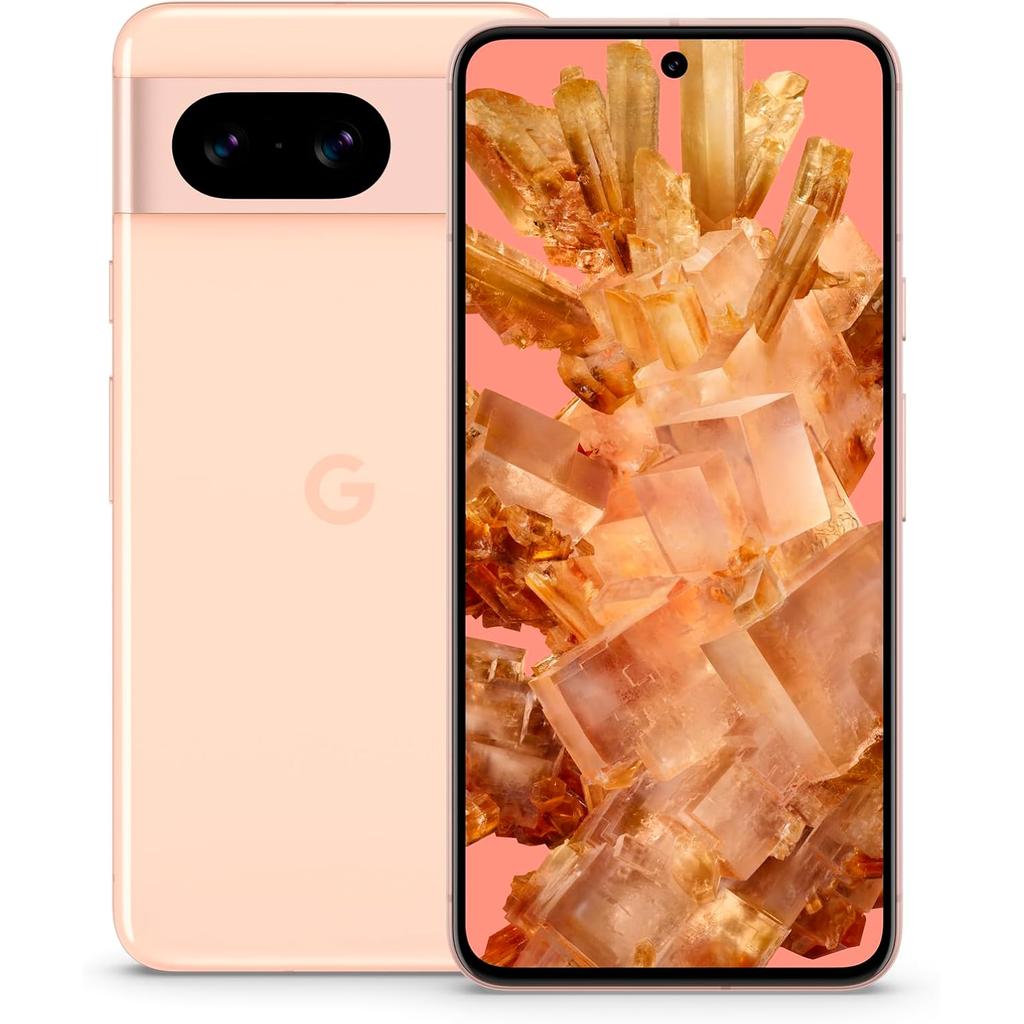
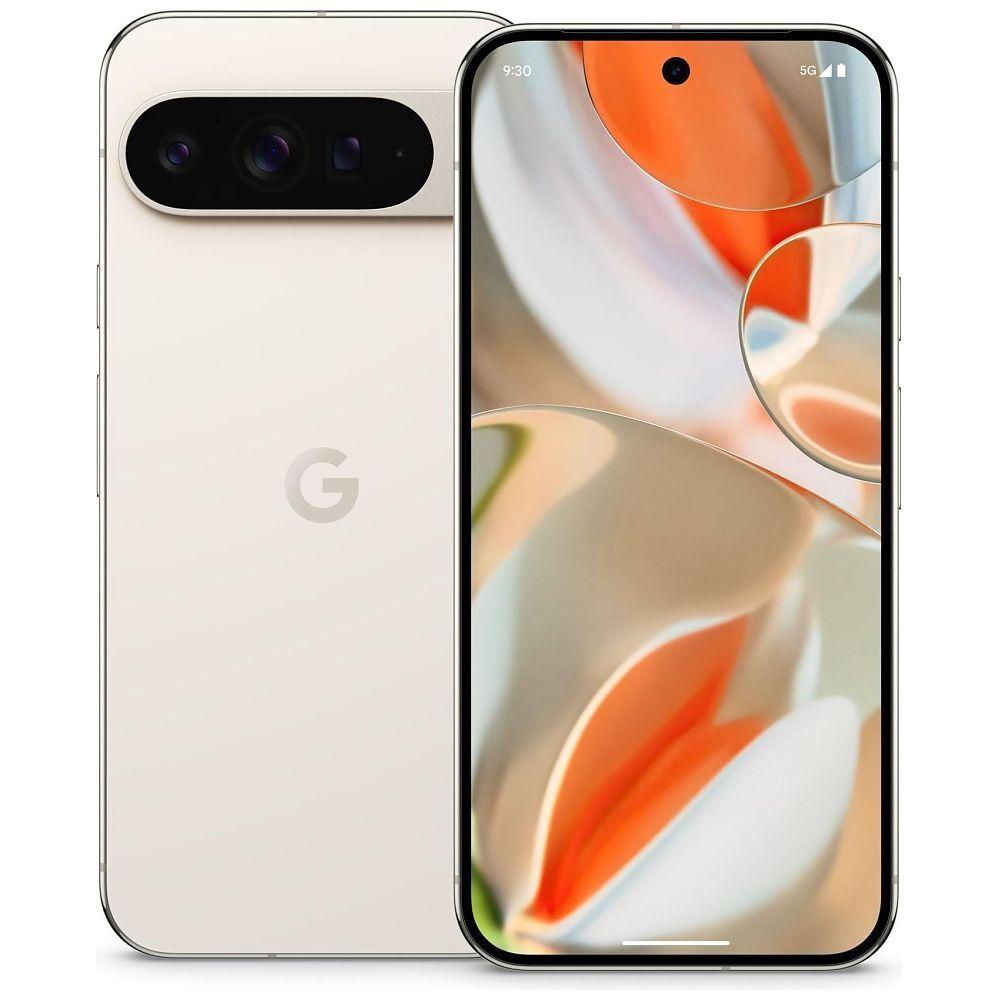
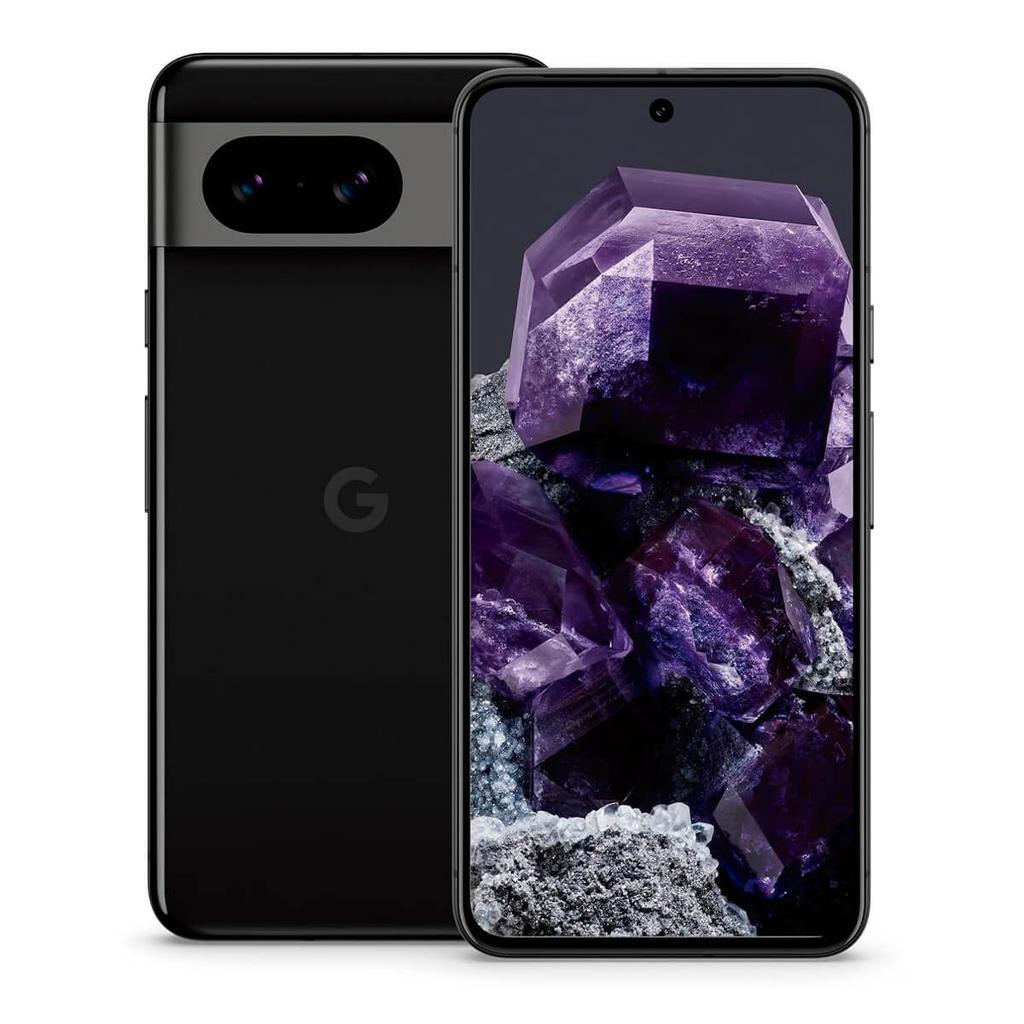
HiLight is an RGB light built into the rear camera bar — not a separate LED. It sits flush with the hardware and has no visible presence when inactive.
You can assign a different colour to selected contacts. When that person calls, HiLight glows in their colour — so you can see who’s calling without touching the phone.
HiLight currently supports Google’s Phone app and WhatsApp calls. Support for other apps has not been announced.
HiLight glows blue while Gemini is listening or responding — a consistent visual signal that the AI is active regardless of what’s on screen.
HiLight is particularly useful when the phone is face down — the light is visible from across the room without needing to flip the phone over.
Each HiLight function can be enabled or disabled independently. You don’t have to use all of them.
HiLight does not currently work as a notification light for every app. Google is considering adding support for text messages, but it is not available at launch. It replaces the temperature sensor found on previous Pixel Pro phones.
HiLight is one of those phone features that initially sounds like a gimmick, right up until you picture yourself using it.
Built into the camera bar on Google’s Pixel 11 Pro models, HiLight is a small RGB light that uses different colours to tell you what the phone is doing while its display is facing down.
At launch, it can identify calls from selected contacts and show when Gemini is listening or responding. Google is also considering support for messages and more notifications later.
It is not a giant illuminated pattern like Nothing’s Glyph Interface. It is smaller, quieter and more tightly connected to specific people and actions.
The idea is simple: you can put your phone down, stop looking at the screen and still know when something worth your attention happens.
Which Pixel 11 Models Have HiLight?
| Pixel 11 model | HiLight |
|---|---|
| Pixel 11 | No |
| Pixel 11 Pro | Yes |
| Pixel 11 Pro XL | Yes |
| Pixel 11 Pro Fold | Yes |
HiLight requires dedicated hardware, so it cannot be added to the standard Pixel 11 through a software update.
How Does HiLight Work?
HiLight is positioned on the right side of the Pixel 11 Pro camera bar, where Google previously placed its temperature sensor.
It contains RGB lighting, allowing it to display different colours rather than simply flashing white.
At launch, HiLight has two main jobs:
- Showing who is calling
- Showing when Gemini is active
The contact feature is the more interesting of the two.
You select favourite contacts and assign a colour to each one. When that person calls through Google Phone or WhatsApp, HiLight glows in their assigned colour.
That means you can tell who is calling without turning the phone over, reading the screen or listening for a personalised ringtone.
HiLight Makes More Sense With The Phone Face Down
Google wants HiLight to work alongside Flip to Shhh.
Flip to Shhh activates Do Not Disturb when you place a Pixel face down. It is intended for situations where you want to stop checking the screen but remain reachable when necessary.
HiLight adds a visual layer to that.
Instead of your phone lighting up, displaying a notification preview and tempting you to start scrolling, you see a small coloured light on the back.
You can then decide whether the call deserves your attention.
The phone is still there. It is still connected. But it is not constantly presenting information to you.
That is why HiLight is more interesting than a conventional notification LED. It is designed around deliberately not looking at the screen.
How HiLight Could Be Used In Practice
You Are Having Dinner With Your Family
You put the Pixel face down and Flip to Shhh activates Do Not Disturb.
You have assigned:
- Red to your partner
- Blue to your eldest child
- Green to your parents
- Purple to your closest friend
A random call arrives. Nothing happens because that person is not one of your selected contacts.
A few minutes later, the camera bar glows blue. You immediately know your child is calling and can decide to answer.
You have not picked up the phone, checked a notification panel or become distracted by something else on the screen.
That is probably the clearest example of what Google is trying to do.
You Are Waiting For An Important Call
Imagine your partner is at a hospital appointment while you are working.
You assign their contact a bright red HiLight colour and leave the phone face down beside your keyboard.
You can silence normal notifications without worrying about missing their call. If the camera bar turns red, you know immediately who it is.
This is better than relying on vibration alone, particularly in a busy office or while wearing headphones.
Your Children Have Their Own Colours
Parents could assign a different colour to each child.
For example:
- Blue for your son
- Pink for your daughter
- Green for the school
- Red for your partner
You do not need to remember different ringtones or pull the phone out of your pocket every time it vibrates on a desk.
The colour provides an immediate answer: this is a person you have already decided matters.
You Are In A Meeting
The phone is face down on the table with Do Not Disturb active.
A normal notification does not interrupt the conversation. If a selected contact calls, HiLight quietly shows their colour.
You can see whether it is your partner, child or another person you have marked as important without making a performance out of checking your phone.
There is a social benefit here. Looking at a small light is less disruptive than picking up a phone and unlocking it in the middle of a conversation.
You Are Working From Home
Your phone is sitting on a stand or lying beside your computer.
You do not need every Slack notification, delivery update or promotional email appearing in your peripheral vision. Those alerts can remain silenced.
HiLight can still show when one of a small number of people calls.
It turns the phone into a filtered communication device rather than another screen constantly asking for attention.
Your Phone Is Across The Room
You are cooking, cleaning or working on something with your hands.
The Pixel is face down on a nearby counter. It lights up green, which you have assigned to your mother.
You can recognise the caller from across the room without touching the phone.
A vibration cannot do that. A standard white notification light cannot do it either.
You Are Recording Or Concentrating
You are writing, editing video or playing a game and do not want to break concentration for every call.
Assign colours only to people whose calls you would interrupt the session to answer.
HiLight then becomes a visual priority system. No colour means it can wait. A known colour means you make the call.
HiLight And Gemini
HiLight glows blue when Gemini is listening or responding.
That provides visual confirmation that the assistant is active, particularly during hands-free use.
For example, you might place the phone face down while cooking and ask Gemini:
“How long should I cook this chicken at 200 degrees?”
HiLight turns blue to show Gemini has heard you and is working on the answer.
That matters because voice assistants can otherwise leave you wondering:
- Did it hear the wake command?
- Is it still listening?
- Has it stopped listening?
- Is it processing the request?
- Did the microphone activate accidentally?
The light provides feedback without requiring you to look at the display.
Another example would be using Gemini while driving with the phone attached to a dashboard mount. The blue glow provides a quick visual cue that the assistant is active without displaying a large animation.
It is a small change, but it makes voice interaction feel more physical. The phone visibly reacts rather than only producing sound.
Why Contact Colours Are Better Than App Colours
A basic notification light normally tells you which app sent something.
Green might mean WhatsApp. Blue might mean Facebook. White might mean email.
That information is only partly useful. Knowing that WhatsApp has sent something does not tell you whether the message came from your partner, a family group or someone responding with a thumbs-up emoji.
HiLight is currently centred on people rather than applications.
That changes the question from:
“Which app wants my attention?”
To:
“Which person wants my attention?”
That is a much better filter.
The application used to make the call becomes less important than the identity of the caller.
It Brings Back A Classic Android Feature
Notification LEDs used to be common on Android phones.
Older models from BlackBerry, HTC, Samsung, Sony, LG and Google’s Nexus range used small lights to show missed calls, messages and charging status.
Manufacturers gradually removed them as screens became larger, bezels became smaller and always-on displays became more common.
Always-on displays never completely replaced them, though.
A notification LED can be seen from a distance. It consumes little power. It does not reveal private notification text. Most importantly, it does not require you to interact with the screen.
HiLight brings that idea back, but with better colour control and a more deliberate focus on selected contacts.
It is a modern version of something phones arguably should never have lost.
HiLight Is More Private Than A Lock-Screen Notification
Lock-screen notifications can expose information.
Someone sitting nearby may see:
- Who sent a message
- Part of the message
- Which application you use
- The subject of an email
- An appointment title
- A verification code
HiLight only shows a colour.
Unless the other person knows your colour assignments, the light reveals nothing about the identity of the caller.
You still receive useful information, but the details remain private.
That makes it suitable for desks, meetings, public transport and shared spaces.
HiLight Could Help Reduce Compulsive Phone Checking
A vibration is deliberately vague.
It tells you that something happened but provides no way to judge whether it matters. The only way to find out is to pick up the phone.
Once you have done that, you are one tap away from email, social media, news, shopping and everything else competing for your attention.
HiLight can remove that uncertainty for selected calls.
If there is no recognised colour, you already know it is not one of the people you have chosen to prioritise. You can leave the phone alone.
If the colour belongs to someone important, you can answer.
It turns some notifications into decisions you can make without opening the device.
HiLight Versus Nothing’s Glyph Interface
The obvious comparison is Nothing’s Glyph Interface.
Nothing uses larger LED patterns across the rear of its phones. These lights can show notifications, timers, charging progress, volume levels and other information.
HiLight is much smaller and less theatrical.
| Feature | Google HiLight | Nothing Glyph |
|---|---|---|
| Design | Small RGB light in camera bar | Large rear LED patterns |
| Colours | Multiple RGB colours | Mostly white lighting on current models |
| Contact identification | Yes | Contact-based patterns available |
| Gemini feedback | Yes | No |
| App notifications | Very limited at launch | Broader support |
| Timers and progress indicators | Not at launch | Yes |
| Main purpose | Important people and AI feedback | Wider visual notification system |
| Available models | Pixel 11 Pro range | Selected Nothing phones |
Nothing currently gives its rear lights more jobs.
Google’s version is less capable at launch, but its use of contact colours is easy to understand. HiLight is intended to be a quiet signal rather than a major part of the phone’s visual identity.
Nothing wants you to notice the lighting system. Google wants it to disappear until something relevant happens.
What HiLight Cannot Do At Launch
Google has kept the first version fairly limited.
At launch, HiLight does not provide:
- Custom lighting for every app
- Message notifications
- Email alerts
- Charging progress
- Countdown timers
- Music visualisation
- Delivery tracking
- Different patterns for every notification type
- Full third-party developer access
Google says it is looking at adding contact-based message notifications. It has not promised general support for every application.
This distinction matters. HiLight is not currently a complete replacement for an always-on display or Nothing’s Glyph Interface.
Its first version is mainly about calls and Gemini.
What Google Should Add Next
HiLight has plenty of unused potential.
Messages From Favourite Contacts
This is the most obvious addition and the one Google has already said it is considering.
If a contact has been given a colour, that colour could pulse differently for:
- A phone call
- A text message
- A WhatsApp message
- A missed call
- An urgent message
For example, a solid red light might mean your partner is calling, while two short red pulses could mean they have sent a message.
Charging Status
The light could move between colours as the battery charges:
- Red below 20%
- Amber below 50%
- Green above 80%
- Solid green when fully charged
That would let you check charging progress from across the room.
Timer Progress
A shrinking or changing light could show that a timer is nearly finished.
This would work well while cooking. You could glance at the phone without waking the display or asking Gemini how much time remains.
Camera Recording Indicator
HiLight could show when the camera or microphone is active.
That would be useful while recording with Creator Suite, particularly when using the rear cameras and standing in front of the phone.
A green light could confirm that recording has started. A different pattern could warn that storage or battery is running low.
Navigation Alerts
A flash could indicate that a turn is approaching while the phone is mounted in a car or on a bicycle.
This would need careful implementation to avoid becoming distracting, but HiLight could provide a secondary directional cue.
Delivery And Transport Updates
Google could connect HiLight to account-aware services:
- Blue when your taxi arrives
- Green when a food delivery is nearby
- Amber when a flight gate changes
- Red when a train is cancelled
That would turn HiLight into a display for time-sensitive events rather than ordinary notifications.
Accessibility Uses
Different colours and flashing patterns could support people who have difficulty hearing notification sounds.
Google would need options for colour-blind users, including adjustable patterns and brightness. The combination of colour and pulse pattern would make the feature usable by more people.
Why Replacing The Temperature Sensor Makes Sense
Previous Pixel Pro phones included a temperature sensor.
It could measure the temperature of objects and, following regulatory approval in certain countries, human body temperature.
It was technically unusual but never became a reason to buy a Pixel. Most owners probably used it a few times out of curiosity and then forgot it existed.
HiLight occupies the same space but has a clearer everyday purpose.
Calls happen every day. Gemini interactions can happen every day. Knowing whether an important person is trying to reach you is more useful than occasionally measuring the temperature of a mug.
Google has replaced a novelty sensor with a feature that has a chance of becoming part of how people use the phone.
That is a good trade.
Is HiLight Just A Gimmick?
At launch, it sits somewhere between a gimmick and a genuinely smart idea.
The hardware is cool. The focus on selected contacts is sensible. Its connection with Flip to Shhh gives it a proper reason to exist.
The problem is limited software support.
Calls through Google Phone and WhatsApp are a start, but HiLight needs message support and more customisation before it reaches its full potential.
Its usefulness will depend on whether Google continues developing it after the launch campaign ends.
Google has a history of introducing unusual Pixel hardware and then failing to build much around it. The temperature sensor is the obvious example.
If HiLight gains contact messages, charging information, timers and developer support, it could become one of the Pixel’s best small features.
If it remains limited to calls and a blue Gemini glow, many owners will forget it is there.
Is HiLight Worth Buying A Pro Model For?
Not by itself.
The Pixel 11 Pro costs $200 more than the standard Pixel 11. HiLight is not worth that difference on its own.
The Pro also adds:
- A brighter LTPO display
- Better main, ultrawide and telephoto cameras
- Up to 120x zoom
- Faster Night Sight
- Stronger video functions
- A 42MP front camera
- More storage options
HiLight is a nice extra inside that wider package.
It may help you choose between two otherwise similar Pro phones from different brands, but it should not be the only reason you move from the Pixel 11 to the Pixel 11 Pro.
You can see all the differences between Google’s Pixel 11 models in this comparison resource.
The Bottom Line
HiLight is cool because it makes the back of the phone useful.
It lets you put the display face down, remove most distractions and still remain reachable by the people who matter.
The practical appeal is not the light itself. It is the filtering system behind it.
Your partner can be red. Your child can be blue. Your parents can be green. Everyone else can wait.
That is a much smarter use of colour than simply telling you which app has another notification waiting.
The first version is limited, and Google needs to add message support quickly. But the basic idea is excellent: less screen, less checking and more control over who can interrupt you.
Sources
- Google Pixel 11 hands-on from The Verge covers HiLight hardware, Gemini feedback, contact colours and supported calling apps.
- WIRED’s Made by Google report confirms model availability and Google’s plans to consider message support.
- Associated Press Pixel 11 launch report covers favourite-contact colours, face-down use and its relationship with Flip to Shhh.
- Google Pixel VIPs coverage from The Verge covers Google’s wider favourite-contact system, Do Not Disturb bypass and integration with Google Messages and WhatsApp.
Buying tools
Thinking About Buying a Google Pixel?
Compare current refurbished prices, see how it stacks up against alternatives, and avoid overpaying for the wrong model.
Recommended for this article