Gemini Intelligence: What It Actually Does
Gemini Intelligence is Google’s new system-wide AI layer for Android. It can understand what is on your screen, work across supported apps and prepare multi-step actions without forcing you to bounce between half a dozen different screens.
| Feature | What It Does | Everyday Example |
|---|---|---|
| Gemini Intelligence | Understands screen content and carries out multi-step tasks across supported apps. | Find a restaurant, compare the options and prepare a booking without opening each app yourself. |
| Personal Intelligence | Connects Gemini with Gmail, Google Photos, YouTube and Search. | Find travel details in Gmail and match them with photos or other saved information. |
| Rambler | Turns messy spoken thoughts into cleaner written text through Gboard. | Talk through a rough message and have Gboard turn it into something you can actually send. |
| Create My Widget | Builds custom Android widgets from written or spoken instructions. | Ask for a home-screen widget that shows weather, calendar events and your commute. |
| Timely Information Cards | Displays information based on what you are doing, discussing or viewing. | Show directions, booking details or related information when it becomes useful. |
| Sign-To-Text | Uses the Pixel camera to turn American Sign Language into text. | ASL users can type, search and interact with Gemini through the camera. |
This is not simply another Gemini chat window. The system can read screen content and work across more than 40 supported apps.
Tensor G6 and Gemini Nano handle some processing directly on the device. More demanding jobs still need Google’s cloud servers.
Gemini can prepare purchases, reservations and bookings, but you must approve them before anything is completed.
Connecting Gmail, Photos, YouTube and Search gives Gemini more personal context, but you decide which services it can use.
Access varies by country, language, app and Google AI subscription. Some tools are still previews, so do not assume the full list will be ready in every market on release day.
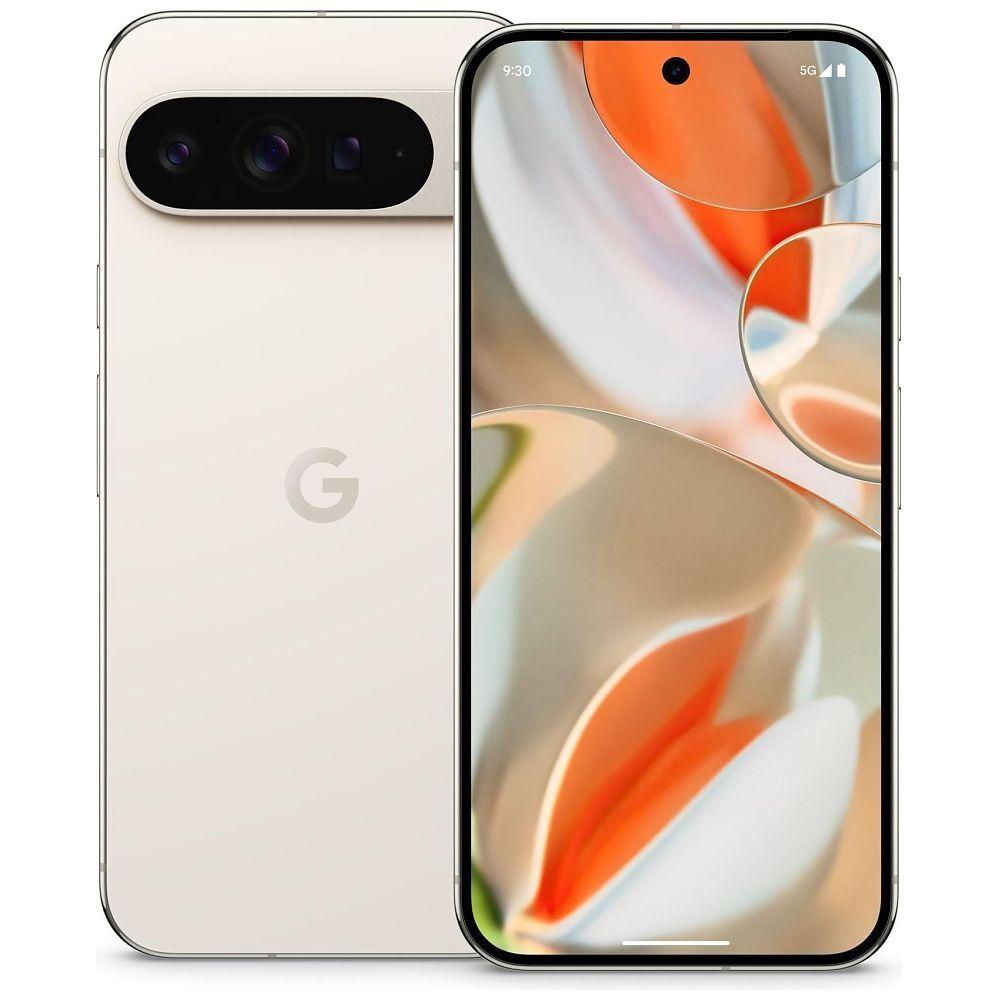
Gemini Intelligence is one of the headline additions to the wider Google Pixel 11 series. But what does it actually do, and is it any more useful than the hundreds of AI features phone companies have already spent two years shouting about?
Here’s the simple version.
What is Gemini Intelligence?
Gemini Intelligence is Google’s attempt to turn Gemini from an app you open into something built throughout your phone.
That difference matters.
The regular Gemini app answers questions, writes text, analyses images and holds conversations. Gemini Intelligence can also understand what you’re currently doing on your Pixel and take action inside supported apps.
You could show it a shopping list and ask it to build an online grocery basket. You could photograph a holiday brochure and ask it to find a similar trip. You could ask it to locate travel details in Gmail, check your calendar and begin booking a ride to the airport.
Instead of giving you a block of instructions and leaving you to do the boring bit, Gemini Intelligence tries to do the boring bit.
It’s essentially an AI control layer sitting across Android, Google services and supported third-party apps.
Google introduced the system for newer Android devices before the Pixel 11 launch. The Pixel 11 series combines it with Tensor G6, Android 17 and Google’s fifth-generation Tensor Processing Unit.
Is Gemini Intelligence the same as the Gemini app?
No. Google’s naming doesn’t make this particularly easy, though.
| Google AI feature | What it does |
|---|---|
| Gemini app | Google’s AI chatbot and assistant |
| Gemini Live | Lets you have a voice conversation with Gemini |
| Gemini Nano | A smaller AI model that runs on supported devices |
| Personal Intelligence | Connects Gemini to information in selected Google apps |
| Gemini Intelligence | The wider Android layer connecting Gemini with apps, screens and system features |
| Gemini in Chrome | Helps research, compare, summarise and complete web-based jobs |
| Gemini Intelligence cards | Shows timely information while you’re using another app |
| Gemini Notebook | Organises notes, files and recordings inside an AI-assisted workspace |
| Magic Cue | Surfaces useful personal information while you’re using supported apps |
| Circle to Search | Searches for something displayed on your screen |
Gemini Intelligence includes or connects several of these systems, but they aren’t different names for one feature.
Think of the Gemini app as the place where you talk to Google’s AI.
Gemini Intelligence is the plumbing that allows the AI to work throughout your phone.
Which Pixel 11 models have Gemini Intelligence?
Gemini Intelligence is available across the full Pixel 11 range:
- Pixel 11
- Pixel 11 Pro
- Pixel 11 Pro XL
- Pixel 11 Pro Fold
You don’t need the Pixel 11 Pro XL or Fold to access the main system.
All four phones use Tensor G6, although the amount of RAM, cooling hardware and individual camera features differ between models.
The AI system is broadly shared across the range, but the camera hardware isn’t. Our Pixel 11 camera comparison explains exactly what the standard, Pro, Pro XL and Pro Fold models receive.
What can Gemini Intelligence actually do?
1. Complete multi-step jobs across apps
This is the main feature.
Traditional phone assistants handle one command at a time. You ask for the weather, set an alarm or tell the phone to send a message.
Gemini Intelligence can break a larger request into several smaller steps and move between supported apps.
For example, you could ask it to:
- Find a restaurant near your hotel
- Check whether it has a suitable menu
- Find an available table
- Prepare the booking
- Add it to your calendar
- Get directions
- Remind the other people going
Google says task automation works across more than 40 apps and services.
That doesn’t mean Gemini has unlimited access to every app installed on your phone. Developers need to support the system, and the available actions will differ between services.
Still, more than 40 apps is enough to make the idea much more useful than an assistant restricted to Google software.
2. Understand what’s on your screen
You won’t always have to describe everything manually.
Gemini Intelligence can use information currently displayed on your screen as context for a request.
Imagine you have a shopping list open inside a notes app. Rather than reading every item aloud, you can hold the Pixel’s power button and ask Gemini to add those items to a grocery order.
Or perhaps somebody sends you a photograph of a jacket. You could ask Gemini to find something similar in your size without saving the image, opening a shopping app and starting a new search.
The system can work with:
- Text on the screen
- Images
- Screenshots
- Messages
- Lists
- Emails
- Webpages
- App information
- Camera input
Google already offered parts of this through Gemini Live and Circle to Search. Gemini Intelligence goes further by turning what it sees into actions.
3. Use an image as an instruction
Gemini Intelligence can analyse an image and use it as the starting point for a job.
Google gives the example of photographing a holiday leaflet and asking:
Find a trip like this on Expedia for six people.
Gemini can inspect the destination, type of trip or activities shown in the photograph, then search a supported travel service for something similar.
Other possible uses include:
- Photographing a meal and finding a similar recipe
- Showing Gemini a broken household item and finding a replacement
- Photographing a product and comparing prices
- Using a poster to find event tickets
- Turning a handwritten list into a shopping basket
- Finding furniture that matches something you’ve seen
The useful part isn’t image recognition by itself. Google Lens has been identifying things in photographs for years.
The difference is that Gemini can understand the image, work out what you want and begin doing something with that information.
You can watch Gemini work
Letting an AI loose inside shopping, booking and transport apps could go wrong rather quickly.
Google’s answer is to make the process visible.
When Gemini Intelligence handles a longer task, you can follow its progress through on-screen updates and notifications. You can see which stage it has reached and step in if it starts heading in the wrong direction.
You can:
- Check its progress
- Pause the task
- Correct an instruction
- Take over manually
- Hand the job back to Gemini
- Cancel the process
- Review the result before confirming it
Gemini can perform the searching and form-filling, but it shouldn’t confirm a booking or complete a purchase without your approval.
That final confirmation step is important. Nobody wants to ask about flights to Spain and accidentally end up buying six non-refundable tickets to Benidorm.
Gemini Intelligence can work in the background
You don’t have to sit and watch every stage.
Gemini can continue working while you use another app. Progress appears through notifications, and the phone alerts you when it needs a decision or final approval.
This could make it useful for jobs that involve lots of waiting and page loading, such as:
- Comparing products
- Finding tickets
- Looking for hotel availability
- Preparing a grocery order
- Finding parking
- Arranging a restaurant booking
- Gathering information from several apps
Whether it saves time will depend on how reliably it works.
If you constantly have to correct Gemini, doing the job yourself will be quicker. If it can handle five routine steps and only ask you about the sixth, it could be genuinely handy.
What are Gemini Intelligence cards?
Gemini Intelligence can surface information inside apps through small, glanceable cards.
These cards are designed to appear when the information becomes relevant, rather than waiting for you to ask for it.
Suppose you’re messaging someone about an upcoming trip. Gemini may show a card containing:
- Your flight time
- Current flight status
- Booking details
- Hotel information
- Directions
- Weather at the destination
If you’re discussing dinner, it might show restaurant suggestions, opening times or booking information.
This builds on Magic Cue, the proactive assistance system Google introduced with Pixel 10. Magic Cue could find useful information from supported Google apps and display it while you were doing something related.
Gemini Intelligence takes the idea further by connecting more apps and handling more involved actions.
The promise is less app hunting and less copying and pasting.
The risk is a phone that keeps interrupting you with things it merely thinks are relevant. Google will need to get that balance right.
What are location-based Gemini suggestions?
Pixel 11 also introduces a preview of location-based information inside Gemini.
If you arrive at a restaurant, Gemini might show:
- Popular menu items
- Where customers tend to sit
- Opening information
- Booking details
- Reviews
- Dietary information
At an airport, it could surface your boarding time, terminal information and nearby places to eat.
At a venue, it might provide your ticket, entrance information or seating details.
These location-based suggestions are launching as a preview, so availability and accuracy may be limited at first.
They also require a fairly broad collection of information to work properly. Gemini needs to know where you are, understand what place you’re visiting and connect that with other useful data.
If that feels like too much, you can manage location access and Personal Intelligence connections through the phone’s settings.
What is Personal Intelligence?
Personal Intelligence lets Gemini connect information from selected Google services.
Supported connections include:
- Gmail
- Google Photos
- YouTube
- Google Search
This allows Gemini to answer questions using information spread across different formats and apps.
You could ask:
- “What was the name of the hotel we stayed at in Edinburgh?”
- “Find the registration number for my car.”
- “When does my flight leave?”
- “Which restaurant did we visit after Archer’s birthday?”
- “Find the receipt for my laptop.”
- “What size tyres did I buy last time?”
The answer might come from an email, a photograph, a previous search or a YouTube video you watched.
Google says Personal Intelligence has two main jobs: finding specific details and reasoning across several sources. Google’s Personal Intelligence explanation goes into more detail about how those connected services work.
The second job is where it gets interesting.
Gemini could find your flight in Gmail, identify your hotel from a booking email, check your calendar and use that combined information to build a travel plan.
Is Personal Intelligence automatically enabled?
No. Connecting Personal Intelligence to your Google apps is optional.
You decide which supported services Gemini can use, and you can disconnect them again through the settings.
Google says information from Gmail and Google Photos isn’t used directly to train its AI models. Gemini accesses connected information to answer your request or provide an approved personalised service.
You can also ask Gemini where an answer came from and check the original information.
That doesn’t remove every privacy concern. Giving any assistant access to email, photographs, location and search history requires a large amount of trust.
My advice is simple: connect only the apps that give you a clear benefit.
If you want Gemini to find flight confirmations, connect Gmail. If you don’t need it searching years of personal photographs, leave Photos disconnected.
You don’t have to switch on everything just because the button exists.
Smarter form filling
Gemini Intelligence also connects with Google Autofill.
Normal Autofill can enter saved details such as your name, address, email and payment information. The Gemini version can pull relevant information from connected apps to complete more complicated forms.
For example, it could find:
- A booking reference from Gmail
- Travel information from a confirmation email
- Membership details
- A vehicle registration number
- Previously used delivery information
- Details from a connected document
This connection is opt-in, meaning it shouldn’t search your connected services unless you enable it.
You can switch the connection on or off through the settings.
The benefit is obvious if you regularly complete long forms on a small phone screen. The danger is the system placing an incorrect detail into an important form, so check everything before submitting it.
Gemini in Chrome
Gemini Intelligence also reaches into Chrome on Android.
Gemini in Chrome can:
- Summarise webpages
- Compare information across websites
- Research a subject
- Answer questions about the current page
- Help complete web-based tasks
- Fill supported forms
- Book appointments
- Reserve parking
- Move between pages during a task
The automated browsing feature is intended to handle repetitive website steps.
For instance, rather than visiting several car parks, comparing times and filling in the same vehicle details repeatedly, you could ask Gemini to find a suitable option and prepare the reservation.
You still review the information and approve the final action.
What is Rambler?
Rambler is a new Gboard voice-writing feature powered by Gemini Intelligence.
Standard voice typing tries to write down what you say. The problem is that normal speech is messy.
We repeat ourselves. We change direction halfway through a sentence. We say “um”, “ah” and “you know” while working out what comes next.
Rambler identifies the point you’re trying to make and turns it into cleaner written text.
You could say:
“Can you, um, let Sarah know I’ll be there at seven? Actually, make that half seven because I need to pick the car up first.”
Rambler could produce:
“Can you let Sarah know I’ll be there at 7:30? I need to pick up the car first.”
It removes filler words, understands corrections and tidies repeated phrases without requiring you to dictate everything perfectly.
Unlike an AI rewrite tool, Rambler works while you’re speaking in Gboard. That means it can be used in messaging apps, email, documents, search boxes and other places where the keyboard appears.
Rambler supports multilingual speech
Rambler uses Gemini’s multilingual model, allowing it to understand more than one language in the same message.
Someone could move between English and Hindi while speaking, and the system would use the wider sentence to understand the intended meaning.
This should be useful for multilingual families and anyone who naturally switches languages during a conversation.
Language support will vary, though. Google’s examples don’t mean every language combination will be equally accurate at launch.
Google says Rambler clearly indicates when it’s active. Audio is used for immediate transcription and isn’t stored as a voice recording. Google explains these controls in its Gemini Intelligence announcement.
Sign-to-text on Pixel 11
Pixel 11 introduces sign-to-text input using Google DeepMind’s SL2T technology.
SL2T stands for sign-language-to-text.
The feature uses the Pixel camera to understand sign language and convert it into written text. It launches with American Sign Language support.
A person can sign to the phone anywhere they would usually type, including:
- Google Search
- Messages
- Documents
- Gemini prompts
- App text fields
That means someone can sign a question to Gemini, search the web using sign language or create a written message without using the on-screen keyboard.
Google says its wider sign-language research used more than 100,000 hours of training data covering over 50 sign languages. The first consumer rollout begins with ASL, with more languages planned.
This is one of Pixel 11’s more useful AI additions. It isn’t another novelty image generator. It changes how some people can operate the phone.
Create My Widget
Create My Widget lets you build a custom Android widget by describing what you want.
A widget is a small panel that sits on the home screen and displays information without requiring you to open the full app.
You could ask for:
- Three high-protein meal ideas each week
- Rain and wind speed for cycling
- Your next meeting and estimated travel time
- A countdown to an upcoming holiday
- Local football fixtures
- Battery levels for connected devices
- Upcoming deliveries
- A simple daily workout panel
Gemini creates a functional dashboard that you can add to the home screen and resize like a normal Android widget.
Google calls this “generative UI.” In plain English, the phone creates an interface around the information you requested.
That’s more useful than accepting whatever combination of information an app developer decided to include.
Material 3 Expressive
Gemini Intelligence is tied into Android 17 and Google’s Material 3 Expressive design.
Material 3 Expressive changes how Android looks and responds, with revised animations, colours, controls and interface elements.
The AI side uses this system to display:
- Progress notifications
- Suggested actions
- Information cards
- Task controls
- Generated widgets
- Confirmation screens
- Contextual prompts
This isn’t an AI feature by itself. It’s the visual framework used to make Gemini’s actions understandable and controllable.
That matters when the phone is doing something on your behalf. You need to see what it’s doing, where it found the information and what will happen when you press confirm.
What does Tensor G6 do?
Gemini Intelligence uses a mixture of local and cloud processing.
Every Pixel 11 model has Tensor G6, including the standard phone, both Pro models and Pixel 11 Pro Fold.
Tensor G6 includes Google’s fifth-generation Tensor Processing Unit. Google says it provides 50% more AI computing power than the TPU inside Tensor G5.
Certain AI jobs can run directly on the Pixel, providing:
- Faster responses
- Lower power consumption
- Offline access for supported tools
- Less need to upload personal data
- Quicker camera processing
- Real-time transcription
- Live translation
- Local scam detection
The same processor handles demanding photography jobs such as Magic Capture, Instant Night Sight and the Pro phones’ 120x zoom. You can see which phones receive each feature in our Pixel 11 camera guide.
Gemini Nano is the smaller model designed to run directly on supported devices.
Larger jobs still need cloud processing. A phone chip cannot locally run every model Google uses for research, automation and generative tasks.
If a feature needs current internet information, searches several services or uses one of Google’s larger Gemini models, it’ll require a connection.
How does Gemini Intelligence affect battery life?
Running AI directly on a phone requires power. Google’s answer is to make Tensor G6 more efficient at handling those jobs.
Certain on-device AI workloads can run up to 3.5 times faster while using up to 3.5 times less energy. Those figures apply to selected workloads, not everything Gemini does.
That extra efficiency matters because some Pixel 11 battery capacities are actually smaller than those inside the equivalent Pixel 10 models.
The Pixel 11 Pro drops from 4,870mAh to 4,850mAh, while Pixel 11 Pro XL falls from 5,200mAh to 5,115mAh.
Despite those reductions, Google advertises over 30 hours of battery life for the standard Pixel 11, Pro and Pro XL.
Tensor G6, its new TPU and the MediaTek M90 modem will need to do a fair amount of work to make that claim stand up.
Does Gemini Intelligence work offline?
Parts of it do.
Features using Gemini Nano and Tensor G6 can perform supported tasks directly on the phone. These may include transcription, some translations, scam detection and selected contextual processing.
Cross-app automation, live web searches, bookings, cloud-based Gemini models and third-party services normally require an internet connection.
So the answer isn’t simply yes or no.
Gemini Intelligence is a collection of features. Some run locally. Others use Google’s servers. Some use both.
Does every feature work at launch?
Probably not.
Google is rolling Gemini Intelligence out across different countries, languages, devices and applications. Some features are described as previews, while others rely on developers adding support to their apps.
Availability may depend on:
- Pixel model
- Country
- Language
- Connected apps
- App version
- Google account type
- Age requirements
- Google AI subscription
- Whether the feature remains in preview
- Local privacy rules
Google AI Pro or AI Ultra may also be required for some higher-end Gemini models or larger usage limits.
This is worth remembering when reading Google’s feature lists. “Coming to Pixel 11” doesn’t always mean “working on every Pixel 11 in every country on release day.”
Is Gemini Intelligence private?
It has several useful privacy controls:
- Personal app connections are optional
- Individual services can be disconnected
- Gemini shows progress during automated tasks
- Purchases and bookings require final approval
- Some processing happens on-device
- Rambler audio isn’t stored as a recording
- Users can manage Gemini activity settings
- Temporary chats can be used for conversations that shouldn’t affect personalisation
- Connected Gmail and Photos data isn’t used directly to train Gemini models
Even with those protections, Gemini Intelligence can potentially access sensitive information if you grant permission.
That could include email, photographs, location, search history, calendar entries and information visible on your screen.
You should treat it like any assistant with broad account access:
- Check which apps are connected
- Review activity controls
- Disable connections you don’t use
- Check details before submitting forms
- Review every purchase and booking
- Don’t assume every AI-produced answer is correct
Useful and private aren’t opposites, but neither happens automatically.
Is Gemini Intelligence replacing Google Assistant?
Yes, in practical terms.
Google has been moving Android users from Google Assistant to Gemini. Newer Pixel phones use Gemini as the main assistant for questions, screen context and increasingly normal phone controls.
Gemini can already handle basic Assistant-style requests such as:
- Setting alarms and timers
- Making calls
- Sending messages
- Controlling smart-home devices
- Starting navigation
- Opening apps
- Playing media
Gemini Intelligence adds newer reasoning, automation and personal-context tools on top.
The aim is to move from “set a timer for ten minutes” to “look at this recipe, set the correct timers for each stage and remind me when I need to start the next part.”
Whether it reaches that level reliably is the real test.
Is Gemini Intelligence exclusive to Pixel 11?
No.
Google is bringing Gemini Intelligence to selected Android devices, including recent Samsung Galaxy phones. The Galaxy Z Fold 8 and Flip 8 were among the first devices to ship with the new system.
Pixel 11 is still an important showcase because Google controls the phone, processor, Android software and Gemini platform.
That gives Google more freedom to connect Gemini Intelligence with:
- Tensor G6
- Pixel Camera
- Gboard
- Chrome
- Android 17
- Material 3 Expressive
- Pixel notifications
- Gemini Nano
- Google apps
Some Pixel-specific features may remain exclusive, but Gemini Intelligence is part of Google’s wider Android plan.
Do you need Pixel 11 for Google AI?
No.
Older Pixel phones already offer Gemini, Gemini Live, Circle to Search, Call Screening, Live Translate, Magic Eraser and several other AI tools.
The Pixel 11 difference is deeper integration.
Tensor G6 also runs supported on-device models more quickly and efficiently than earlier Tensor chips.
If you mainly use Gemini to ask questions, draft emails and summarise text, an older Pixel will still do the job.
Pixel 11 makes more sense if you want:
- Multi-app automation
- The newest on-device Gemini models
- Proactive information cards
- Sign-to-text input
- Rambler voice writing
- Custom AI widgets
- Faster local AI processing
- The widest Pixel AI feature support
Don’t buy a Pixel 11 because the word “AI” appears 400 times on its product page.
Buy one if two or three of these features solve something you already find annoying.
Check Pixel 11 deals before paying full price
The standard Pixel 11 starts at $899, Pixel 11 Pro starts at $1,099 and Pixel 11 Pro XL begins at $1,299.
Before paying launch money, check the latest Pixel 11 deals and carrier promotions. Trade-ins, retailer gift cards and carrier credits can materially change which model makes sense.
Just read the terms carefully. A heavily advertised “free” phone may require an expensive unlimited plan, a new line and 36 months of bill credits.
Want the Pixel experience for far less?
You don’t have to spend more than $1,000 to get a premium Pixel with Google’s most widely used AI tools.
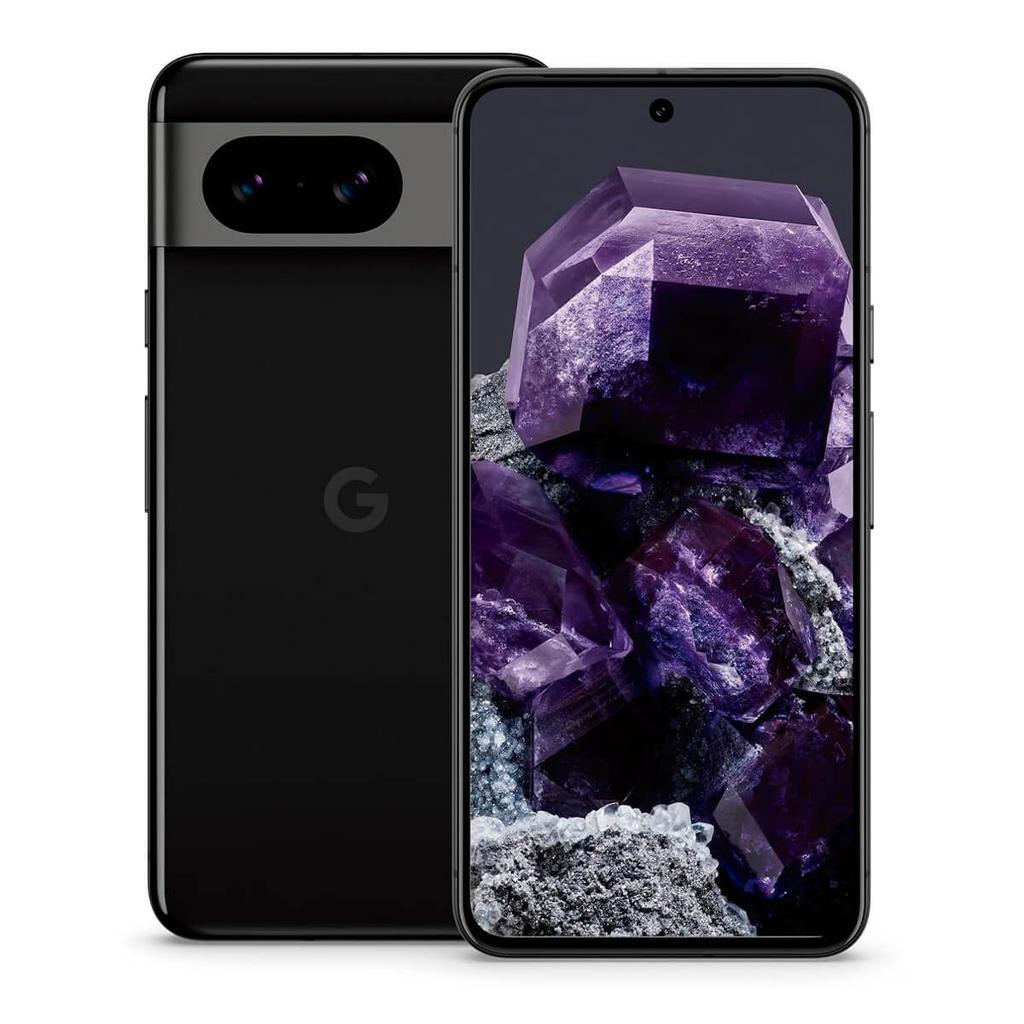
A refurbished Pixel 9 Pro starts from $436.79, while the larger Pixel 9 Pro XL starts from $411.
Both have:
- Gemini
- Gemini Live
- Circle to Search
- Call Screening
- Live Translate
- Magic Eraser
- Photo Unblur
- Best Take
- 16GB of RAM
- 120Hz LTPO displays
- Triple rear cameras
- 5x optical zoom
- Updates through 2031
They won’t receive every Tensor G6-only feature, and the full Pixel 11 version of Gemini Intelligence shouldn’t be assumed to arrive on older hardware.
But they cover most of the Pixel tools people already use, and they cost hundreds less.
If you’re mainly interested in Gemini as a chatbot, Pixel photography and Google’s existing call features, the Pixel 9 Pro is the smarter-value option.
The verdict
Gemini Intelligence is more interesting than another chatbot shortcut.
Its best features are the boring ones: filling forms, finding booking details, building a shopping basket, cleaning up dictated messages and moving information between apps.
That’s where phone-based AI has a chance to become properly useful.
The ability to automate tasks across more than 40 apps sounds impressive, but reliability will decide whether people continue using it after the first week. An assistant that completes five steps correctly is useful. One that gets stuck, chooses the wrong date and needs constant supervision is just an intern living inside your phone.
Rambler looks genuinely handy. Sign-to-text could make a real difference. Personal Intelligence can save time if you’re comfortable connecting your Google apps. Custom widgets are clever without being pointless.
The proactive parts need careful handling. Nobody wants a phone constantly guessing what they need or surfacing private information at an awkward moment.
Gemini Intelligence is best viewed as a toolkit. Turn on the parts that help. Leave the rest alone.
If it sounds useful, compare the latest Pixel 11 prices and launch deals before choosing a model.
If the newest AI tools don’t justify the price, the refurbished Pixel 9 Pro and Pixel 9 Pro XL remain the better-value buys.
Sources & Side Quests
Buying tools
Thinking About Buying a Google Pixel?
Compare current refurbished prices, see how it stacks up against alternatives, and avoid overpaying for the wrong model.
Recommended for this article