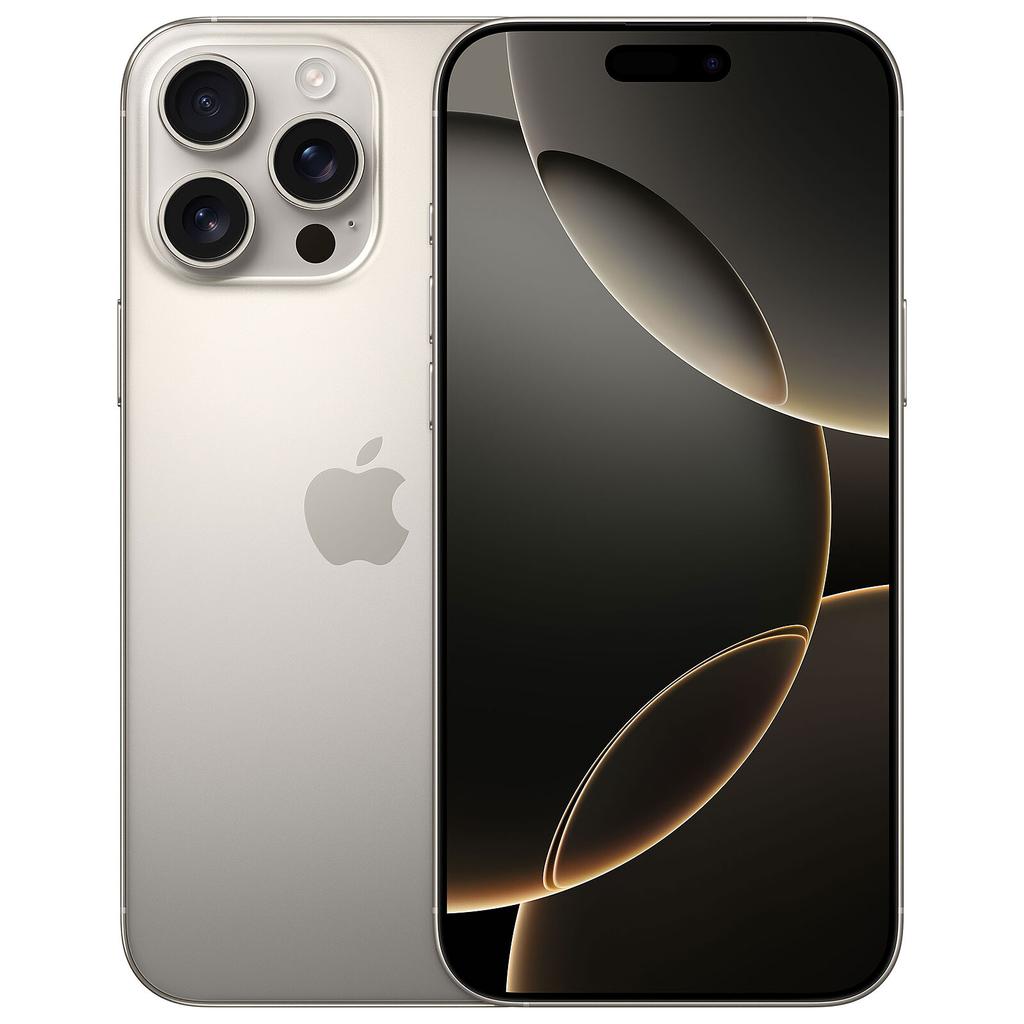
USB-C on iPhone changes what your phone can do. It’s way more accessible, from an accessories point of view, than Apple’s outgoing Lightning port, and on some models (the Pro and Pro Max) it delivers crazy-fast video uploading speeds.
Basically, the switch to USB C is actually pretty darn important.
If you’re shopping for a quality refurbished iPhone, understanding the USB-C split between standard and Pro models, as well as which models run a Lightning port, will save you a lot of headaches farther along the road.
Which iPhones Have USB-C?
The switchover happened with the iPhone 15 generation in September 2023.
Every iPhone before that — including the iPhone 14 Pro Max — runs Lightning. Every iPhone released from the iPhone 15 onwards runs USB-C.
| iPhone Model | Port | USB Speed |
|---|---|---|
| iPhone 15 | USB-C | USB 2.0 — 480 Mbps |
| iPhone 15 Plus | USB-C | USB 2.0 — 480 Mbps |
| iPhone 15 Pro | USB-C | USB 3.x — up to 10 Gbps |
| iPhone 15 Pro Max | USB-C | USB 3.x — up to 10 Gbps |
| iPhone 16 | USB-C | USB 2.0 — 480 Mbps |
| iPhone 16 Plus | USB-C | USB 2.0 — 480 Mbps |
| iPhone 16 Pro | USB-C | USB 3.x — up to 10 Gbps |
| iPhone 16 Pro Max | USB-C | USB 3.x — up to 10 Gbps |
| iPhone 16e | USB-C | USB 2.0 — 480 Mbps |
| iPhone 17 (all models) | USB-C | USB 3.x (Pro), USB 2.0 (standard) |
Bottom line? Everything iPhone 14 and older = Lightning. No exceptions.
Which iPhones Still Use Lightning?
| Generation | Models | Port |
|---|---|---|
| iPhone 14 series | 14, 14 Plus, 14 Pro, 14 Pro Max | Lightning |
| iPhone 13 series | 13, 13 Mini, 13 Pro, 13 Pro Max | Lightning |
| iPhone 12 series | 12, 12 Mini, 12 Pro, 12 Pro Max | Lightning |
| iPhone SE | SE (1st, 2nd, 3rd gen) | Lightning |
| iPhone 11 and older | All models | Lightning |
If you’re buying a refurbished iPhone from the 14 generation or older and USB-C matters to you, factor in the additional cost of a Lightning-to-USB-C adapter (around £5–10) or plan to replace key Lightning accessories.
USB-C vs Lightning: What Actually Changes Day-To-Day
The Charging Upgrade
USB-C officially supports up to 20–27W fast charging on iPhone 15 and 16 models; Apple quotes up to 50% charge in 30 minutes with a 20W or higher USB-C adapter.
The more practical benefit for most people is cable consolidation: if you already own a USB-C MacBook or iPad, the same cable and wall brick charges your iPhone.
No separate Lightning charger needed when travelling.
At an airport, a USB-C wall socket charges your iPhone at a genuinely useful rate whereas you’ll most likely struggle to find Lightning-specific ones.
The Accessory Upgrade
USB-C is the standard across external SSDs, monitors, docks, camera gear, and most modern peripherals.
A USB-C iPhone plugs into all of it without needing Lightning-specific adapters. You can connect a USB-C SSD directly to any USB-C iPhone.
You can run a USB-C to HDMI adapter to most displays without an Apple-specific Lightning AV adapter. AirPods Pro cases with USB-C charge from your iPhone cable.
The Speed Gap: Why It Matters For Pro Models Only
This is where the standard and Pro models genuinely diverge. USB 2.0 on the iPhone 15 and 16 standard models maxes out at 480 Mbps which is barely faster than Lightning’s theoretical ceiling.
For everyday photo syncing and app use, the difference is negligible.
USB 3.x on the 15 Pro and 16 Pro models hits up to 10 Gbps with a compatible cable.
That’s roughly 20 times faster.
For a 50GB ProRes video project, that’s the difference between a few minutes and half an hour.
For anyone shooting 4K60 or ProRes regularly, connecting an external SSD and recording directly to it, then moving footage to a Mac, the Pro’s USB-C is a genuine professional workflow tool, not a marketing footnote.
The Best Refurbished USB-C iPhones: By Use Case

Best For Video Shooters and Editors: Refurbished iPhone 15 Pro Max
The iPhone 15 Pro Max is the definitive refurbished USB-C buy for anyone whose iPhone is a production tool.
USB 3.x at up to 10 Gbps means you can record 4K ProRes directly to an external USB-C SSD, bypassing internal storage entirely, and move footage to a Mac fast enough to work on it the same day without scheduling around a transfer.
Combined with the 48MP main sensor, 12MP 5x telephoto, and Action button, it’s a complete mobile filmmaking setup.
For content creators and mobile filmmakers, this is the refurbished iPhone you want to be looking at seriously.
Available now:
- iPhone 15 Pro Max 256GB in Natural Titanium
- iPhone 15 Pro Max 256GB in Blue Titanium
- iPhone 15 Pro Max 256GB in White Titanium
- iPhone 15 Pro Max 256GB in Black Titanium
- iPhone 15 Pro Max 512GB in Natural Titanium
- iPhone 15 Pro Max 512GB in Black Titanium
- iPhone 15 Pro Max 512GB in White Titanium
- iPhone 15 Pro Max 512GB in Blue Titanium
- iPhone 15 Pro Max 1TB in Natural Titanium
- iPhone 15 Pro Max 1TB in White Titanium
- iPhone 15 Pro Max 1TB in Black Titanium
Storage note:
- 256GB is the minimum for serious video work.
- 512GB gives you meaningful room for longer shoots before offloading.
- The 1TB model is for anyone recording lengthy events or running a heavy ProRes workflow without an external drive always to hand.
Best Compact Option For Video and Fast Transfer: Refurbished iPhone 15 Pro
Everything the Pro Max offers in terms of USB 3.x speeds and ProRes capability, same chip, same connector, same data throughput, just in a 6.1-inch body at 187g.
If the Pro Max’s 221g and 6.7-inch screen is more than you want in a pocket, the 15 Pro gives up nothing in the workflow department. The 5x telephoto is present on both.
The trade-off is battery life.
The Pro Max lasts meaningfully longer on a charge but for desk and studio use where you’re charging regularly, the Pro’s compactness often wins.
Available now:
- iPhone 15 Pro 128GB in Natural Titanium
- iPhone 15 Pro 128GB in Blue Titanium
- iPhone 15 Pro 128GB in White Titanium
- iPhone 15 Pro 128GB in Black Titanium
Best For Most People: Refurbished iPhone 15
The standard iPhone 15 is the right refurbished USB-C pick for the majority of everyday users. USB-C (USB 2.0 speeds) means one cable for your phone, laptop, and charger.
- Dynamic Island. 48MP main camera that handles point-and-shoot photography with minimal effort.
- A16 Bionic for smooth performance across everything you’d actually use daily.
- Battery that comfortably lasts a full day.
What you’re not getting: no telephoto zoom, no ProMotion display (60Hz), no high-speed file transfer.
For most people none of those omissions register in daily use. If you just want a great phone with a killer camera and long battery life — and want to ditch the Lightning cable in the process — the iPhone 15 is a clean, affordable refurbished option that ticks every box.
Available now:
- iPhone 15 128GB Unlocked in Black
- iPhone 15 128GB Unlocked in Blue
- iPhone 15 128GB Unlocked in Pink
- iPhone 15 128GB Unlocked in Yellow
- iPhone 15 128GB Unlocked in Green
- iPhone 15 Plus 128GB Unlocked in Yellow
- iPhone 15 Plus 128GB Unlocked in Blue
- iPhone 15 Plus 128GB Unlocked in Black
iPhone 15 vs iPhone 15 Plus:
- Identical specs and USB-C implementation.
- The Plus has a 6.7-inch screen and larger battery — roughly an extra hour to ninety minutes of real-world use per charge.
- If screen size and battery longevity matter, the Plus is worth the marginal price difference.
USB-C iPhone Pros and Cons: The Honest Summary
The Real Advantages
- One cable for almost everything. The same USB-C cable charges your MacBook, iPad, iPhone, and most Android phones. Travelling with a 70W USB-C laptop charger means you don’t need a separate iPhone brick. This is the benefit most people feel immediately.
- Better, cheaper accessories. USB-C gear — cables, drives, hubs, monitors — is commodity hardware now. You can buy a quality USB-C cable for £5 without paying Apple’s proprietary Lightning premium. Third-party chargers are widely available and MFi certification is no longer the gatekeeper.
- Reverse charging. USB-C iPhones can power accessories — AirPods cases, Apple Watch with the right cable, small gadgets. Niche for most users, but useful when your AirPods run out mid-commute.
- DisplayPort output. All USB-C iPhone 15 and 16 models support DisplayPort, so a USB-C to HDMI adapter connects directly to most displays and TVs for presentations or media playback.
The Trade-Offs Worth Knowing
- Not all USB-C is equal. USB 2.0 on standard models is only marginally faster than Lightning for data. If someone tells you USB-C means fast file transfer on an iPhone 15, they’re talking specifically about the Pro models. Standard models get the cable compatibility benefit — not the speed.
- Your Lightning accessories stop working. Car chargers, docks, microphones, card readers, speaker docks — anything Lightning-specific needs either an adapter (USB-C to Lightning, around £5–10) or replacement. If you’re heavily invested in Lightning gear, budget for that transition.
- Cable quality matters more than before. USB-C cables range from charging-only to USB 2 to USB 3 to Thunderbolt — and they look identical. A slow cable connected to a 15 Pro Max won’t give you 10 Gbps transfer speeds. Check cable specs before assuming you’re getting full performance; look for USB 3.2 Gen 2 or similar labelling.
USB-C iPhone Buying Guide: Which Model For Which User
| Your Use Case | Best Refurbished Pick | Why |
|---|---|---|
| Shooting and editing video professionally | iPhone 15 Pro Max | USB 3.x speeds, ProRes, direct-to-SSD recording |
| Everyday use, great camera, one-cable life | iPhone 15 | USB-C, 48MP, solid battery, lower cost |
| Big screen + battery, everyday user | iPhone 15 Plus | Same as 15 with larger display and better endurance |
| Want current-gen USB-C with Pro speeds | iPhone 16 Pro | USB 3.x, A18 Pro, latest camera system |
Know Your Mobile Verdict
If you’re upgrading from a Lightning iPhone specifically for the USB-C benefits, the iPhone 15 standard model is the cost-efficient way to get there.
You get cable compatibility, faster charging, and a significantly better camera than anything it’s replacing.
If you shoot video for work or a serious creative project, don’t buy the standard 15 and expect the speed benefits. You need the 15 Pro Max or iPhone 16 Pro / Pro Max for that.
The USB 3.x on those models changes the actual speed of your edit workflow in a way you’ll notice every session.
Still figuring out which refurbished iPhone is right for your budget? Check our full refurbished phone FAQ for answers to the most common pre-purchase questions most people have.
Or, just use this quiz-based tool we built to isolate all the options that fit your budget and general requirements.
Next step
Looking at refurbished iPhones?
Use these current KYM deal pages to compare live prices and avoid paying new-phone money.
Buying tools
Thinking About Buying an iPhone?
Compare current refurbished prices, see how it stacks up against alternatives, and avoid overpaying for the wrong model.
Recommended for this article