iPhone Ultra Multitasking: What It Should Be Able To Do
The folding iPhone is expected to run two apps side by side and resize them when the phone opens or closes. Think basic iPad-style multitasking, not a pocket Mac with floating windows everywhere.
| Question | Answer |
|---|---|
| Will the iPhone Ultra run two apps at once? |
Reported Yes, according to Bloomberg. Two apps should be able to appear side by side on the inner display. |
| Will apps change layout when the phone opens? |
Strongly supported iOS 27 makes iPhone apps dynamically resizable, and Apple is asking developers to support more screen sizes and aspect ratios. |
| Will apps use iPad-style sidebars? |
Expected Supported apps should show navigation sidebars when they have more horizontal space on the inner display. |
| Can you drag content between apps? |
Likely Apple already supports drag and drop in iPad multitasking, so it would make sense here. It has not been confirmed for the Ultra. |
| Will it run iPad apps? |
No evidence No current report says the Ultra will run iPad-only apps. It is expected to use iOS, not iPadOS. |
| Will it have Stage Manager or desktop-style windows? |
No reliable evidence Current reporting points to two-app split-screen use rather than full iPad-style window management. |
| What happens when you close it? |
Expected Apps should resize or move to the roughly 5.5-inch outer display. Apple has not shown exactly how app continuity will work. |
| Is any of this official? | App resizability in iOS 27 is official. Ultra-specific split-screen use, folding behaviour and final controls remain reported rather than confirmed. |
The big inner screen should be useful, not just larger. You could keep Maps open beside Messages, compare two products in separate browser windows or watch a video while answering email. Just don’t expect Stage Manager, desktop windows or the full iPad app library.
Apple’s folding iPhone only makes sense if its larger screen can do something a normal iPhone cannot.
Watching a wider YouTube video is nice. Reading a website without squinting is useful. But neither justifies spending somewhere in the region of $2,300 to $2,500 on a phone.
Proper multitasking might.
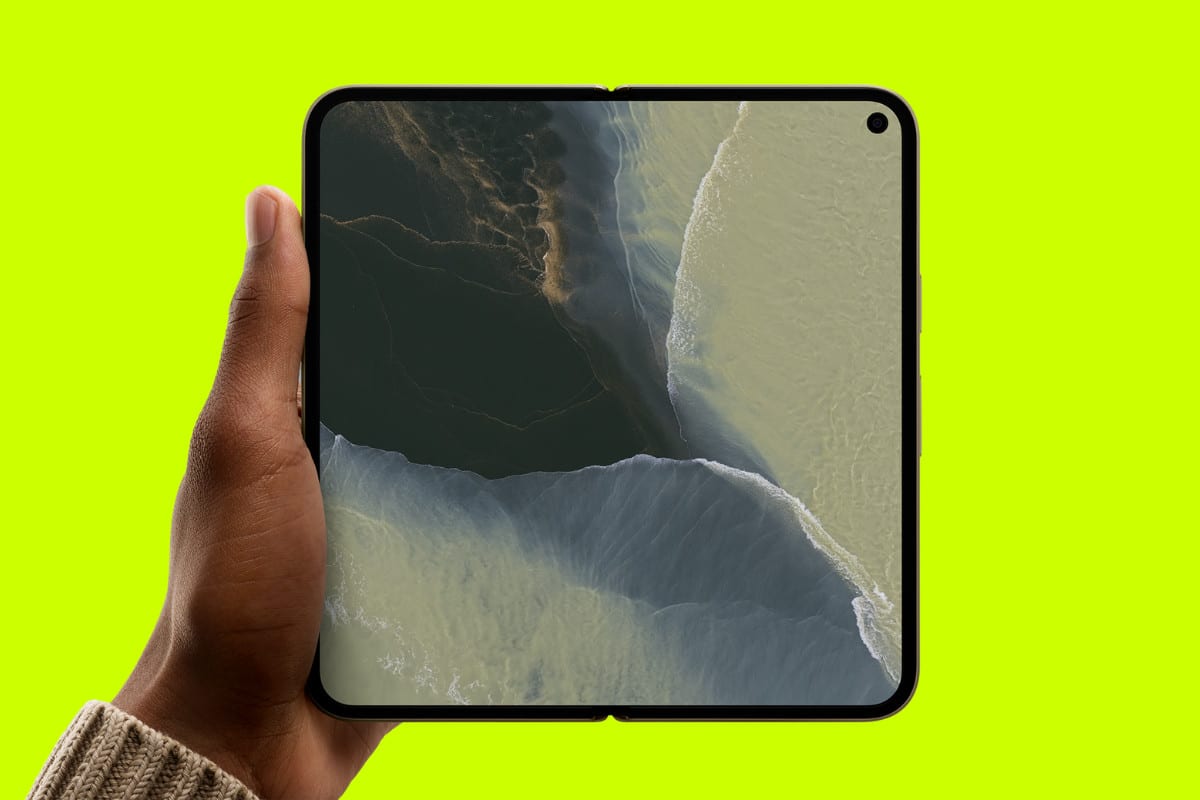
The reported iPhone Ultra is expected to open from a compact phone into a roughly 7.8-inch display with an almost-square aspect ratio.
Bloomberg reports that Apple will use that extra space to run two iPhone apps side by side, supported by iPad-style layouts, flexible sidebars and software that changes as the device moves between its outer and inner screens.
iOS 27 code and Apple’s own developer tools now back up parts of that reporting.
Apple still hasn’t announced the iPhone Ultra or demonstrated its final multitasking interface, though, so there is an important line between what we know and what is merely expected.
The Main Feature: Two iPhone Apps Running Side By Side
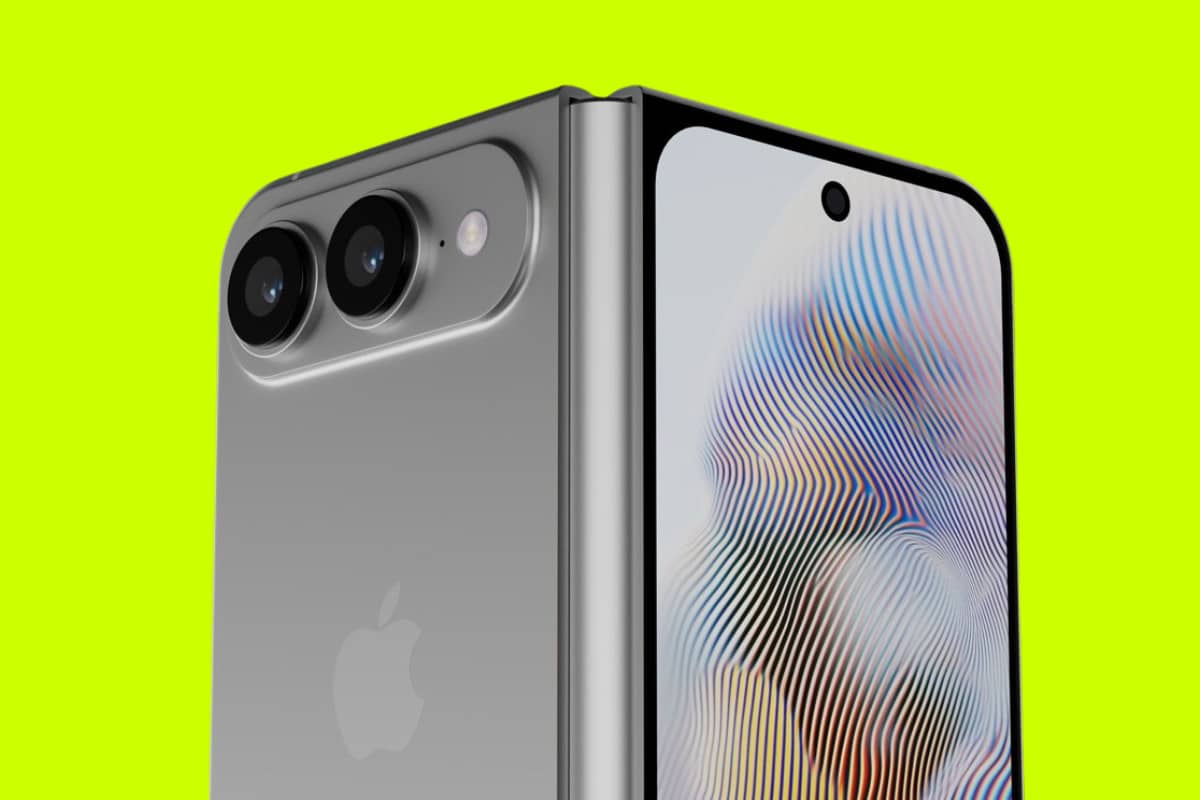
The biggest reported iPhone Ultra multitasking feature is also the easiest to understand: you should be able to place two apps beside each other on the unfolded screen.
No current iPhone can do this. You can play a video over another app with Picture in Picture, switch quickly between recent apps and keep audio running in the background. You cannot keep Safari open on one side while writing in Notes on the other.
The Ultra should change that.
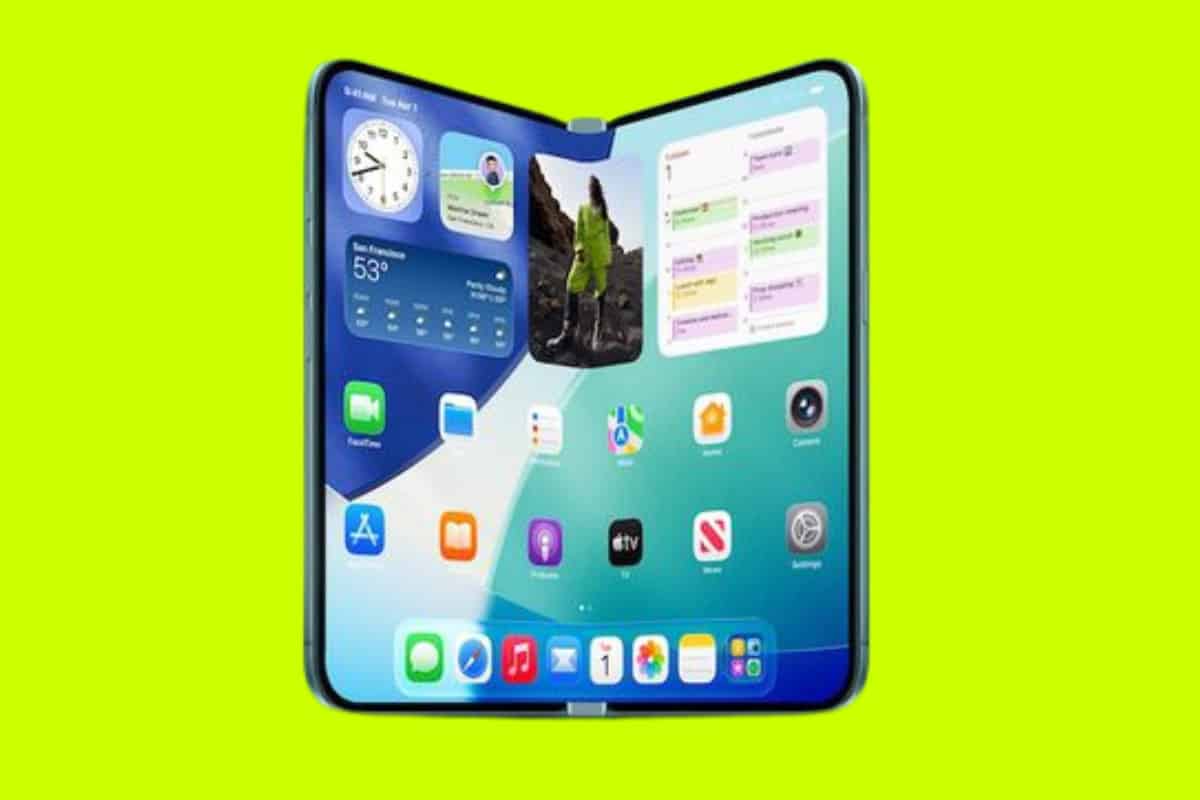
Based on Bloomberg’s reporting, opening the phone will bring up an iPad-like interface capable of showing two standard iPhone apps at once. The likely arrangement is a movable divider between them, allowing a balanced 50/50 split or a wider view for the app that needs more room.
That immediately creates useful combinations:
- Safari and Notes: Read a source on one side while writing or collecting information on the other.
- Mail and Calendar: Check a message and look for an available date without repeatedly jumping between apps.
- Messages and Maps: Discuss a meeting point while keeping the route visible.
- YouTube and Safari: Watch a tutorial while following its written steps.
- Photos and Messages: Browse images while deciding which ones to send.
- Files and Mail: Find a document and attach it without losing your draft.
- Calculator and Safari: Compare prices, work out finance costs or convert measurements while viewing the original page.
None of that is revolutionary in the wider phone market. Samsung and other Android manufacturers have supported split-screen apps for years.
For an iPhone, however, it is a major change. Apple’s phones have always treated one foreground app as the main job. The Ultra would be the first to make simultaneous on-screen apps part of normal iPhone use.
Apps Should Rebuild Themselves For The Larger Screen
Putting two stretched phone apps beside each other would be the lazy way to handle a foldable.
Apple appears to be doing more than that.
At WWDC 2026, Apple told developers that iPhone apps must now adjust dynamically to different scene sizes. Its official UIKit guidance says iPhone apps are becoming fully resizable in iOS 27 environments and should use the available space meaningfully instead of depending on a fixed device orientation or screen shape.
Apple also added free resizing to Xcode 27’s Device Hub and previews. Developers can drag the edges of a simulated iPhone app to see whether its layout breaks at different widths and aspect ratios. Apple officially presents this as support for iPhone Mirroring on Mac and iPhone apps running on iPad, but the timing is not subtle.
A folding phone moves between two very different displays every time it opens and closes. The Ultra needs precisely this sort of responsive app system.
On the outer display, Mail might look like the version you already use on an iPhone. Open the phone and the same app could show a message list down the left side with the selected email on the right. Music could move its library navigation into a sidebar while keeping the current album or playlist visible. Files could show folders and their contents together.
That is much better than simply making everything bigger.
iPad-Style Sidebars Could Make One App Feel Like Two
Not all multitasking requires two separate apps.
Supported apps are expected to use iPad-style sidebars on the larger inner screen. Apple has also officially given iPhone developers new sidebar controls in iOS 27, allowing an app to show sidebar navigation when the system decides there is enough room.
This matters because a well-designed two-column app can remove a surprising amount of jumping backwards and forwards.
Consider these examples:
| App | Closed layout | Possible open layout |
| Inbox or individual message | Inbox sidebar plus open message | |
| Messages | Conversation list or chat | Conversation list plus current chat |
| Notes | Folder, note list or note | Folders and notes beside the editor |
| Files | One folder at a time | Folder tree beside file contents |
| Music | Tab-based navigation | Library sidebar beside album or playlist |
| Calendar | One main view | Calendars/sidebar beside schedule |
| Photos | Full library view | Albums sidebar beside photo grid |
This is where the Ultra could feel closer to an iPad mini than an oversized iPhone. The benefit isn’t just fitting more text on the display. It is retaining context.
You can see where you are, what else is available and what you were doing without repeatedly tapping a back button.
Moving Between The Outer And Inner Screens
The iPhone Ultra is expected to have a roughly 5.5-inch outer display and a 7.8-inch inner display. Switching between them needs to feel instant or the whole design falls apart.
iOS 27 contains internal references named foldState and angleDegrees, first spotted in its software frameworks and independently checked by Macworld. The code also includes a way to count the number of built-in displays connected to a device.
Those references do not reveal the final interface, but they show that Apple’s software can understand:
- Whether a device is open or closed
- The angle of its folding hinge
- Whether more than one built-in display is present
The expected behaviour is app continuity. Start reading in Safari on the cover screen, open the phone and Safari should expand into the larger layout without reloading the page. Close it again and the app should return to a compact layout on the outer screen.
Apple may also let users choose whether an app continues on the cover display after the phone is closed. Samsung already provides similar controls because automatically keeping every app visible can cause accidental touches and waste battery.
Apple has not shown its version, so any exact setting or gesture remains unknown.
Drag And Drop Could Be The Feature That Makes Split Screen Useful
Running two apps together is only half the job. The real benefit comes from moving information between them.
Apple has not yet confirmed Ultra-specific drag and drop. It already supports dragging text, links, photos and files between apps on iPad, making the same behaviour highly likely on its folding iPhone.
If included, you could:
- Drag an image from Photos into Messages
- Move a PDF from Files into a Mail draft
- Drag selected text from Safari into Notes
- Drop an address from Messages into Maps
- Move a link from Safari into Reminders
- Drag products or prices into a planning note
This sounds minor until you compare it with the current iPhone routine: copy something, switch apps, find the right screen, tap the correct field, paste it, then switch back.
On the Ultra, both the source and destination could remain visible throughout.
That is the kind of practical improvement the folding display needs. It saves time without requiring you to invent a special reason to use it.
Picture In Picture Should Work Alongside The New Layouts
Picture in Picture is already supported on current iPhones, so there is little reason to expect it to disappear on the Ultra.
The larger display could make it much less annoying. A floating video window occupies a large chunk of a normal iPhone screen. On a 7.8-inch panel, it could sit over a document, webpage or chat without covering most of the useful content.
Potential uses include:
- Following a video call while checking a document
- Watching a sports stream while messaging
- Keeping a tutorial visible while working in another app
- Monitoring a video feed while browsing Safari
What we don’t know is whether Apple will let Picture in Picture sit above two split-screen apps at the same time. The hardware should be capable of it, but Apple may keep the first-generation interface deliberately simple.
Could The Hinge Create Laptop-Style Modes?
The angleDegrees reference suggests iOS can tell how far the device is open. That creates the possibility of position-aware interfaces similar to Samsung’s Flex Mode.
Partially fold the phone and an app could divide itself across the two halves. A video might play on the upper section while playback controls occupy the lower one. A camera preview could sit above the shutter and settings. A video call could use the top half while controls and chat appear below.
It would also let the Ultra stand on a table without a separate tripod.
These uses are logical, but they are not yet confirmed features. The code proves that Apple is tracking hinge angles. It does not prove what Apple or individual developers will do with that information.
I would expect Camera, FaceTime and video apps to be the obvious starting points. Anything beyond that is guesswork until Apple shows the device.
Siri AI Could Handle A Different Kind Of Multitasking
Not all multitasking needs to happen visually.
iOS 27 introduces Siri AI with expanded App Intents, personal context, awareness of what is currently on screen and the ability to perform jobs across compatible apps. On the Ultra, that could work alongside the larger interface.
You might have Mail and Calendar open side by side, then ask Siri to find the date mentioned in the selected email and create an event. Or keep Safari and Notes visible while asking Siri to summarise the current page and add the main points to a note.
This is separate from the Ultra’s split-screen system, and it is not exclusive to the foldable. It could still make the device better at completing multi-app jobs, particularly when two relevant apps remain visible.
There are regional limits to remember. Siri AI is initially launching in beta for supported English-language devices, and Apple says it won’t initially be available on iPhone or iPad in the EU. Availability in China also depends on regulatory approval.
Why The Ultra Reportedly Needs 12GB Of RAM
The iPhone Ultra is expected to use an A20-series chip with 12GB of RAM.
Running two apps on screen doesn’t necessarily mean both apps receive unlimited memory. iOS will still manage background processes aggressively. More RAM does give the system additional room to keep each visible app active, preserve its state and run larger responsive layouts without constant reloading.
It should help with jobs such as:
- Editing a document while referencing a large webpage
- Keeping a video call running beside Notes
- Moving high-resolution images between Photos and another app
- Running an AI-assisted app while working elsewhere
- Switching among several recent app pairs without each one refreshing
The RAM also supports on-device Apple Intelligence models, camera processing and the higher demands of driving two displays.
You can read our full iPhone 18 RAM guide for how memory is expected to differ across the wider range.
What The iPhone Ultra Probably Won’t Do
This is where expectations need controlling.
The Ultra may resemble a small iPad when open, but current reporting does not say it will run iPadOS. That means you should not assume it will receive every iPad multitasking feature.
There is currently no firm evidence for:
- Stage Manager
- Freely floating desktop-style app windows
- Three or four simultaneous apps
- External monitor workspaces
- Full iPad keyboard and trackpad operation
- Apple Pencil support
- Direct access to iPad-only apps
- A desktop-style Dock identical to iPadOS
The reported first-generation system is simpler: one responsive app using the whole display, or two iPhone apps placed side by side.
That restraint may be sensible. A 7.8-inch screen is useful, but it is still small. Filling it with four tiny windows would turn a clean interface into a doll’s-house desktop.
Apple needs to get the basics right first: fast opening, sensible layouts, easy app pairing, dependable drag and drop and smooth movement between both screens.
iPhone Ultra vs A Normal iPhone: What Actually Changes?
| Task | Current iPhone | Expected iPhone Ultra |
| Use two full apps visibly | No | Yes, side by side when open |
| Resize apps dynamically | Very limited | Expected across outer and inner displays |
| Show tablet-style sidebars | Rare on iPhone | Expected in supported apps |
| Move content between two visible apps | No | Likely through drag and drop |
| Watch floating video over another app | Yes | Yes, with much more available space |
| Continue an app across two displays | Not applicable | Expected when opening and closing |
| React to hinge position | Not applicable | Supported at system level; app uses unknown |
| Run iPadOS | No | No, based on current reporting |
| Run Stage Manager | No | Not currently expected |
Will These Features Make The iPhone Ultra Worth Buying?
The multitasking software will decide whether the iPhone Ultra is a useful new kind of iPhone or merely an incredibly expensive screen that bends.
Two apps side by side, responsive layouts and proper drag and drop could genuinely change how people use an iPhone for travel, work, study and communication. Keeping Maps beside Messages or Safari beside Notes is useful in a way that a thinner hinge or smaller crease isn’t. You will actually notice it.
But Apple is reportedly asking somewhere around $2,300 to $2,500 for the first-generation Ultra. At that price, split screen cannot feel like an unfinished bonus feature. Apps need to resize properly, developers need to support the wider layout and the transition between displays needs to be almost invisible.
This is especially important because the Ultra may make hardware sacrifices elsewhere. Current leaks point to two rear cameras rather than the full three-camera system expected on the cheaper iPhone 18 Pro, along with Touch ID instead of Face ID.
The folding display and its software are therefore not just extra features. They are the entire reason to choose it.
If you mainly use one app at a time, take lots of zoom photos or simply want the best conventional iPhone, the Pro or Pro Max will probably make more sense. You can see how the new model fits into the wider range in our iPhone Ultra guide and iPhone 18 series hub.
If a $2,500 phone sounds faintly ridiculous, that is because it is. Browse current refurbished iPhone deals, compare models with our phone finder or visit the main Apple hub for cheaper options that still receive current iOS features.
Sources
- Apple Developer: Modernize your UIKit app for dynamic resizing
- Apple Developer: What’s new in SwiftUI and app resizability
- Bloomberg reporting via MacRumors on two-app multitasking and iPad-style layouts
- iOS 27 fold-state code and resizable-app evidence
- Macworld’s independent check of iOS 27 folding references
Buying tools
Thinking About Buying an iPhone?
Compare current refurbished prices, see how it stacks up against alternatives, and avoid overpaying for the wrong model.
Recommended for this article